After going back and forth with some help from our amazing readers here, TinyCo was able to locate the link to the Red Hot Lois skin and the other Skins in Al’s clearing out all items collected while creating a costume.
Category Archives: Glitch
Comic Con Trending Glitches
Hey there Clammers. Hopping on in here with some updates and help to issues we are seeing continuously in the comments. Hopefully this will help if not redirect you to where you can find help. So let’s jump on in to see what is going on in our lil games.
Phase 3 Glitch Report: Hams, Tasks, Lois and more!
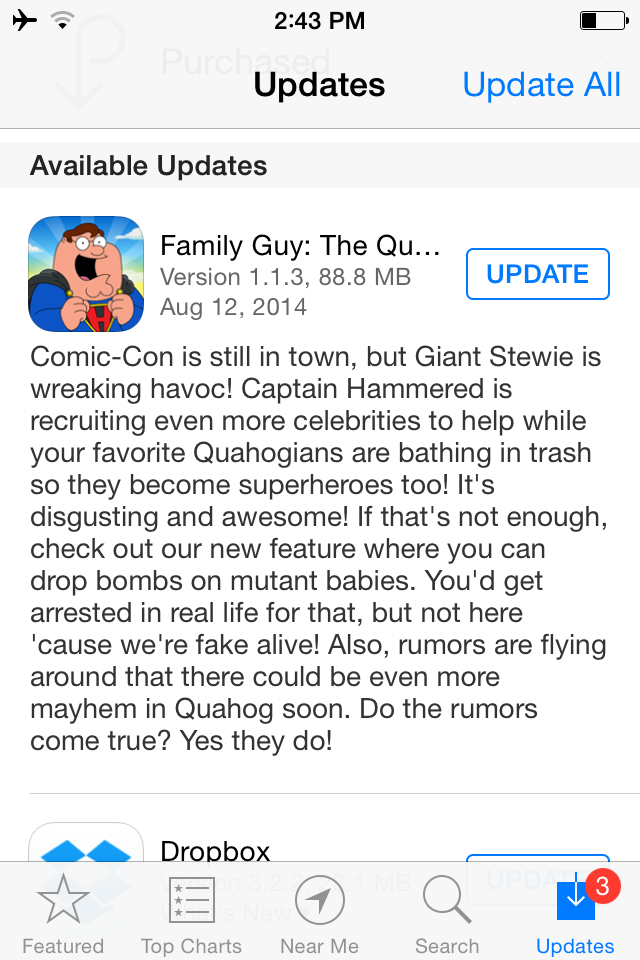
Update: Version 1.1.3 has hit the Google Play Store. THIS is the patch many have been waiting for. This should fix the Assert Error glitch with out needing to uninstall the game. HOWEVER…if you don’t have an account created once you get back into the game now is the time to create one. Remember you don’t need Facebook to do it either, you can back it up via an email address. You can see details on how to setup an account here.
Hello There Clammers!
Just a quick Sunday glitch report for you all. We’re seeing a number of the same questions pop up over and over in the comments this past weekend…so we figured 1 big glitch report post will help benefit everyone.
So let’s get to it shall we?
Posted in Game Play, Glitch, Special Event, Tips and Tricks, Troubleshooting, Updates
Tagged Family Guy Addicts, Family Guy Comic Con Event, Family Guy Game, Family Guy The Quest For Stuff, Family Guy Tips and Tricks, lois write emails, mutant stewie stuck, Quahog Comic Con 2104, Why Do i Keep getting Hams in TQFS?
The Rupert Triplets: Pesticide Mystery Boxes
Hello There Clammers!
Well I take a night off to celebrate my cousin’s wedding and TinyCo decides to blow up the game! What the hell?! Oh wait wrong post… 😉
So looks like with all of the craziness of the failure to launch last night…things are finally starting to get under control. I know many of you are still locked out, but hopefully all will be restored soon.
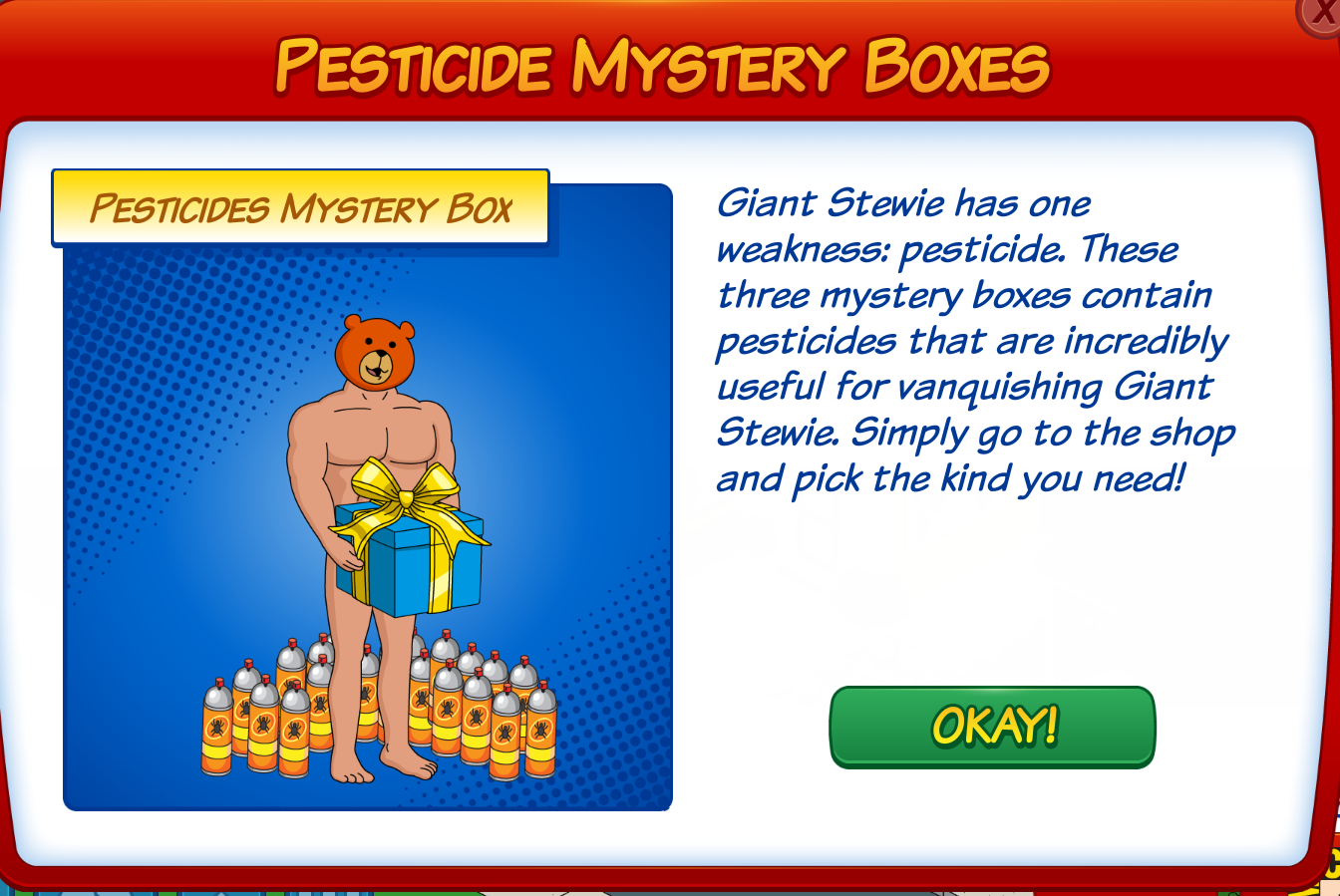
Now that things are restored in some places we can get a look at what TinyCo had in mind for this weekend. Looks like the new item of the week(end) is Pesticide Mystery Boxes…
More details will be below the fold, but basically these are designed (as you can guess) to get you more pesticides to help you defeat Giant Stewie. However, they cost clams (95 clams each box) and in my own opinion…NOT WORTH IT. Save your clams! At least for now. If if gets to the last days of the event and you’re just shy of getting George (or another prize you really want) then it might be worth the investment.
So here are the details…
HELP! Drunken Clam is Missing!
Hoppin on in here with a quick update in regards to those reports coming in of Buildings Missing from your Quahog.
I have seen a few readers now stating that their Drunken Clam or another building has gone missing. I have alerted TinyCo to this and they are aware of the issue. It is currently being looked into and a cause for it being sought out.
In the meantime, if you notice a building missing please alert TinyCo right away so they can help get it returned for you as well as look into your game to help them narrow down just what is causing this issue to the devices. Let us know if this helps you out.
~Bunny
Missing Ron Perlman: Update From TinyCo
Hey there Clammers, just hopping on in for some quick information and an update from TinyCo.
For those of you having troubles seeing Ron and/or missing him, the root cause has been located. An update patch will be coming as soon as Monday to help resolve this issue for you, so keep an eye out for it.
For everyone else, double check your devices and make sure you are updated to version 1.1.1 BEFORE you complete Quahog Comic Con Part 6. This should help to avoid the missing Ron Perlman issue.
Hope this helps out a lot of you impacted by this. Let us know if the patch resolves the issue for you once it hits.
~Bunny
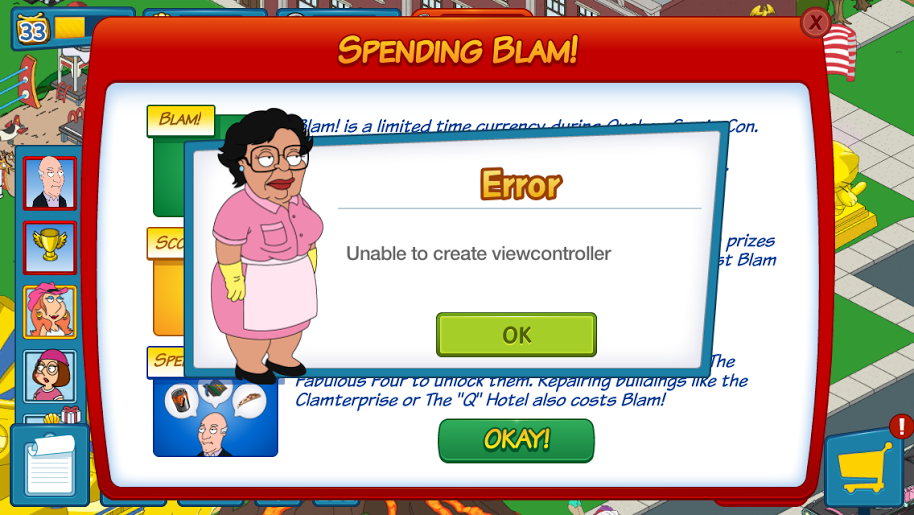
GLITCH REPORT: Unable To Create View Controller (UPDATED)
UPDATE 2 AM EST: TinyCo reports issue should be resolved now. Please let us know if you are still experiencing it.
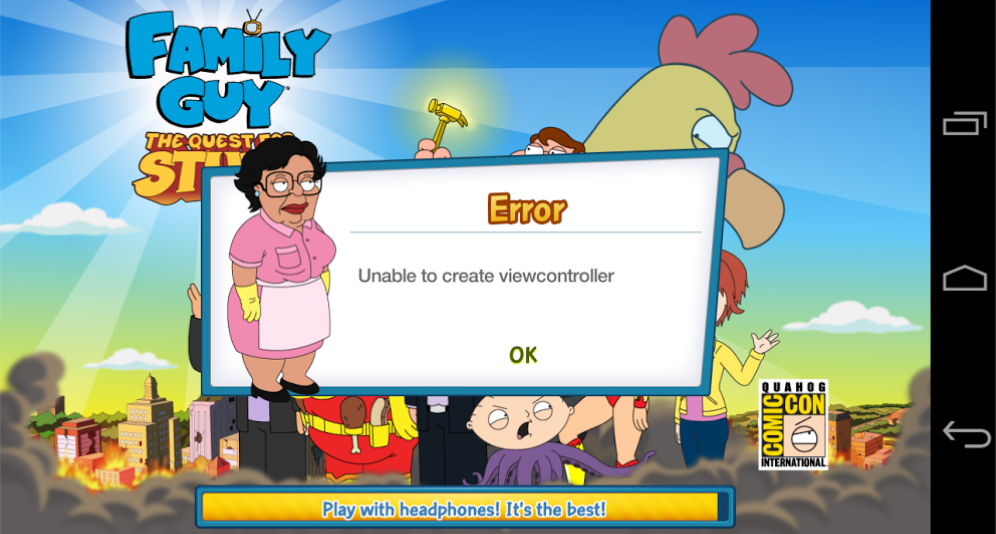
I am getting reports coming in from many of a growing glitch. No worries. I alerted TinyCo right away. They are at this very moment all over it and working quickly on a resolution.
(Thanks to Thomas, R.C., and M.E. for sending these SS in.)
Hang in there. I will update with any info. In the meantime, if you have your Player ID info and are impacted, please email it to me so I may forward it.
familyguyaddicts@gmail.com
~Bunny
iOS Crash Issues
Hello There Clammers!
I know many of you have expressed in the comments that your iOS device is crashing with the latest update. Mine did too, but then again it’s an iPad 1 😉 So, we reached out to TinyCo about the issue in an effort to try and see if there was a solution. Here’s the response right from TinyCo:
Due to the amount of content and animations associated with the new event, players on older devices may experience more crashing due to lack of RAM on their device. If you are having constant crash issues try closing out all other apps and restarting the device before opening FG:TQFS again. We’re aware of this and are investigating this further.
So if you’re experiencing a crash issue with your iOS device right now try one of the suggestions above. If that doesn’t work, sit tight (as hard as it is) because they’re looking into it.
Back with more as we have it…
GLITCH ALERT: Missing Throne
UPDATE: Make SURE you’ve updated to the latest version of TQFS. I know this may slow your mummy spawn rate, but this could also be why your game is crashing. So if you haven’t updated, update & try it again. Let us know if the throne returns for you!
Hello There Clammers!
Just a quick post to let you know about a known glitch we’re seeing involving King Butt’s Throne. Multiple players are reporting that when they go to place it the game crashes on them and upon reentry into Quahog the Throne has vanished from their store.
If you’re experiencing this glitch….
First double check your inventory to make sure it’s not there.
If it’s not there file an in-game report with TinyCo that it’s missing, if your having issues with the in-game report email them via the email address on the contact post.
Finally, post that you’re having the glitch issue in the comments below. If possible include a screenshot of your game id . You can include it via link. We’ve alerted our contacts at TinyCo to the glitch & directed them to this post. So if you’re experiencing the glitch make sure you report it here as well.
Remember…Don’t just report the glitch here. Make sure you Contact TinyCo via the in-game help as well.
As soon as we have more we’ll update this post.