
Hey there my new little friends. Shocked to see a familiar name in a new place? Well here I am, trying to help out in the same regard I always have loved to. I will be taking you on a lil journey with me to give you a few pointers and things you may want to know when you first start out your game.
First off, those lil Notifications. I KNOW you are going to go looking for them. Whether you want them on or not, here are a few hints to help you out.
Go to your Menu Icon in the lower left side of your screen. (It looks like a blue cracker to me. Lol.)

Once you click on it, you will be brought into your Main Menu Screen. You want to go to your Settings Menu from here.
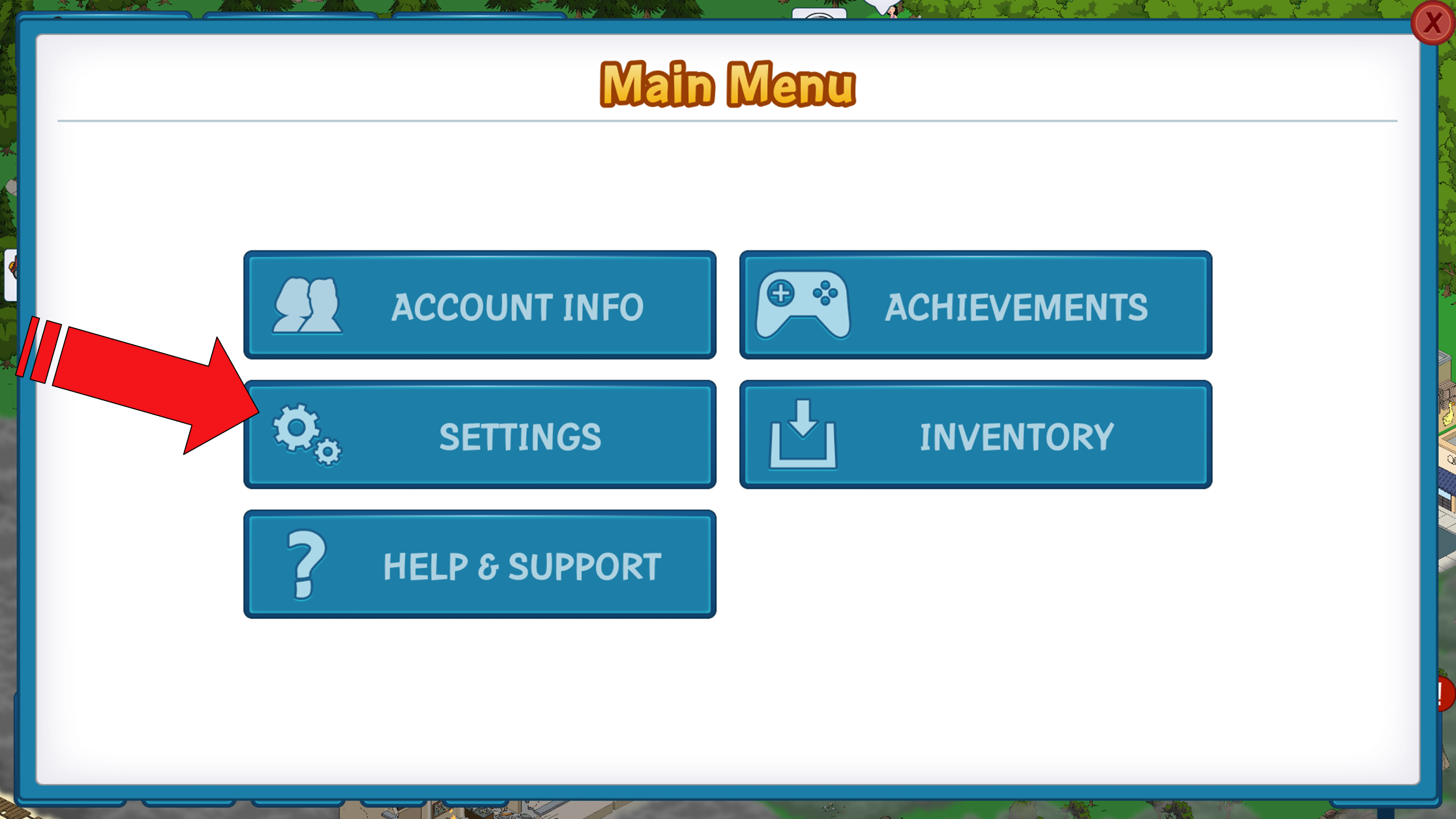
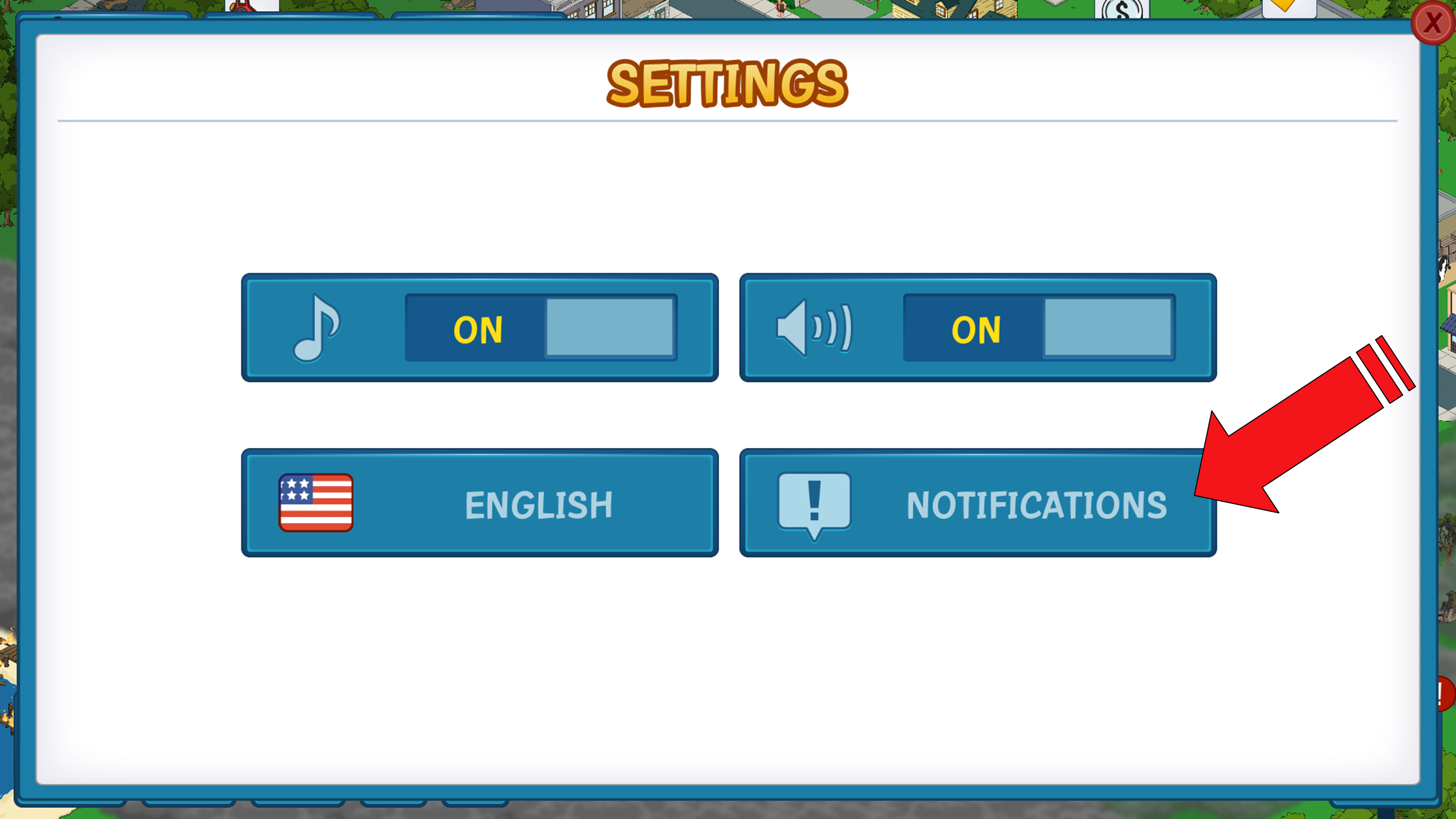
In the Settings Menu, locate the Notifications Menu.
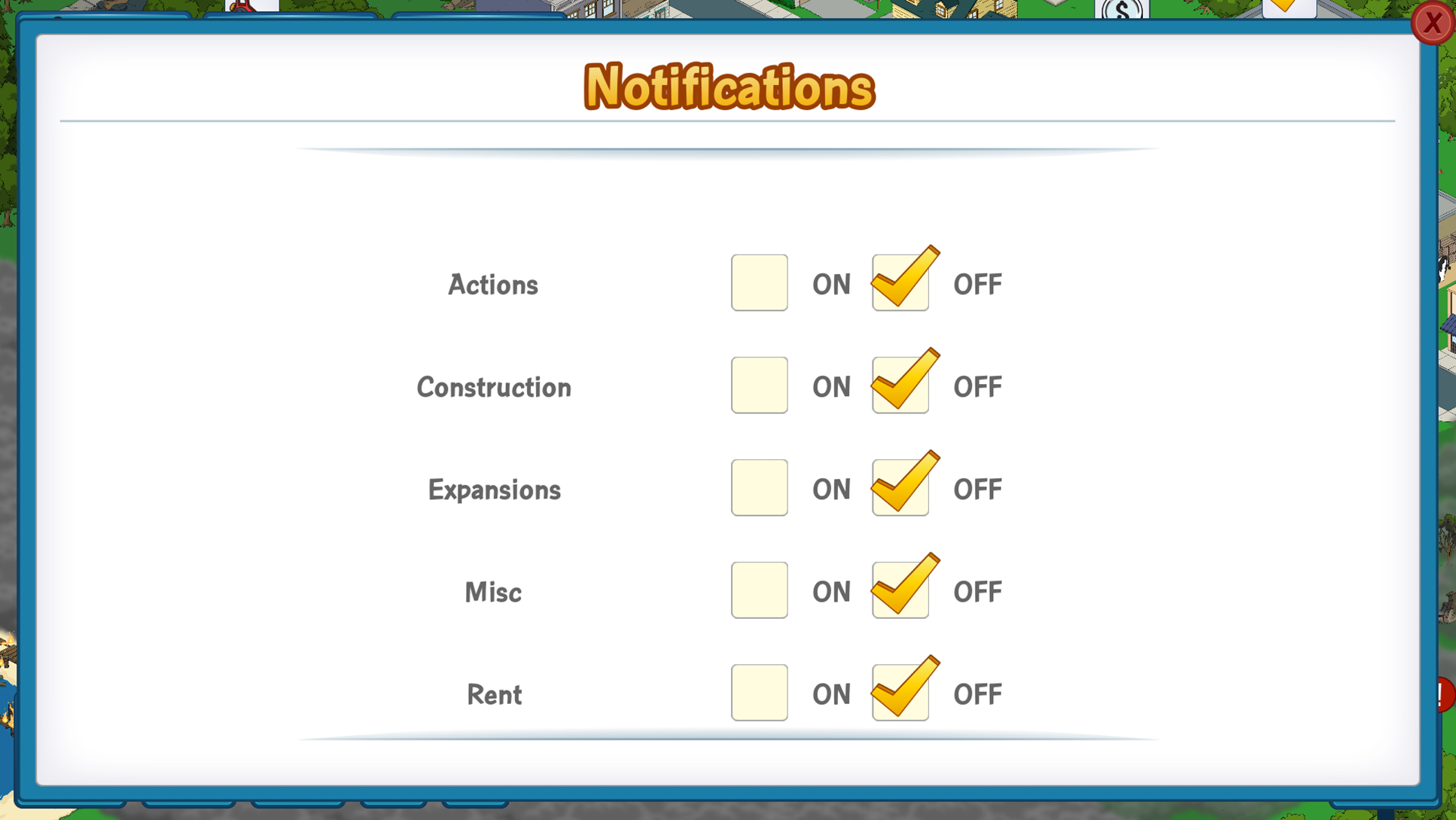
From the Notifications Menu, you can now turn ON or OFF several different items that would send you a notification in your game. Myself, I just prefer them all off. You can adjust yours as you go.
So there are the basics of Notifications. Are you going to turn them all off too? Let me know if they help you out or if you have anymore questions.
Until Next Time…
~Bunny






 Family Guy Addicts
Hi guys.
Just wondering why I can’t get any notifications on my iPhone (iOS 8.0.2) even though they are all selected ON in the in-game menu.
There are also no settings for The Family Guy: quest for stuff inside the notification tab inside the iPhone settings.
Please help!
LikeLike
Check the actual app settings to ensure that they’re on as well.
LikeLike
Yes, I like ’em all off. I don’t want to be interrupted all day. I was happy to see that they were that easy to disable. Plants vs. Zombies 2 keeps pestering you even after disabling notifications in the app and I had to use Android’s option to silence it.
LikeLike
With a lot of apps, I have to go into my Application Manager on my Android and into each of the individual apps to uncheck that “show notifications” to get them to stop. Some still seem to sneak past. It is almost like they embed/hide it in the coding to bug you anyway. Lol 😉
LikeLike
Bunny, do you know what the clothes hanger / ribbon thingie is on some of the character facespace profiles?
LikeLike
I am trying to confirm it. I think it has to do with the acheivements of each character. I know the ones I have with it over them were used in getting items to create outfits for Peter, Quagmire, Chris, and Lois. Al’s had a hanger over it for a while as I was collecting pieces for them too.
LikeLike
Ahh i see. Makes sence. Thank you
LikeLike
🙂
LikeLike