
9-11-14 11PM EST UPDATE: iOS Update just hit, so iOS players please check to see if your game is now showing the District 9 items and those with issues of the force reload to update, check the app market to see if it is there for you now. Let us know. Google play also saw an update, but it may just be minor glitch fixes. Kindle users, check yours too and let us know if you see anything yet.
I am putting this info at the top for all to see (it’s throughout the post too). If you have iOS/Amazon you will NOT see the new stuff til your Update hits your market. Only Android had it hit.
If you play on cross devices and updated your Android device then tried to switch to iOS/Kindle, you will only see the “you must update” pop up. Again, you got to wait for your market to push the Update before you can see it. Crossing devices made it now impossible for the non updated one to be able to play.
For Android, Precious Metals quest must be done along with District 8 to trigger the Blimp quest and District 9.
Hope that helps. 🙂
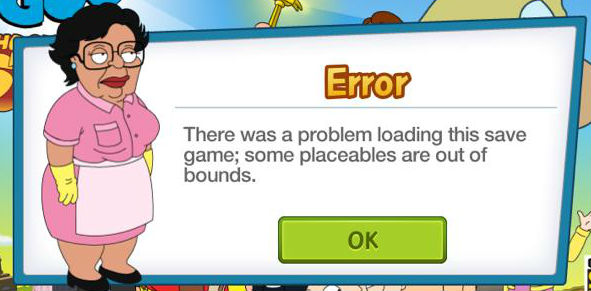
From TinyCo Update: We are looking into fixing all of the “Placeables are out of bound” errors. We were incorrect when believe we had found the solution and are working on it!
UPDATE 420AM EST: I am seeing reports slowly coming in of players back up and running. So check your games, but remember…if EVERYONE tries to jump in at once the server will overload…so give it just a lil bit of time to resolve and hopefully all will be back to normal again.
TinyCo Update 450 AM EST: Our hard work and amazing team stayed late to crush that bad bug! Thanks everybody for helping us fix this issue!
Now let’s go get Meg out of jail!
Again, don’t everyone try to rush the servers at once. This may take a restart to trigger the fix or possibly even an uninstall/reinstall just make sure your account was SAVED TO AN EMAIL OR FACEBOOK before uninstalling/reinstalling. That way your progress will not be lost.
Sorry for the delay, was taking care of some personal family matters. Leave it to TinyCo to drop an event as some of us are a lil preoccupied. Lol. No worries, I am currently going through all the data and will keep updating this post.
I also know that some of your are getting the odd “unable to load save . Some placeables are out if bounds” error. I did pass on the information and am waiting to hear back on anything.
Stay tuned as I add all the details…
You will see a ! over Meg to start the questline. In my game, it seems there are a few lil hiccups with this as Peter’s image was all scrambled. Cracked me up, that’s for sure.

So let’s get to it. In order to get Jailhouse Meg’s Costume into your town, you will need the following items:
 20 Poop Bucket (Common): Mort Swallow Jewels, Seamus Swab the Poop Deck, Chris Run Around With Bucket on Head
 12 Blue Glass (Rare): Peter Cook Disgusting Vegatables, Stop ‘N Shop, Quahog Mini Mart
 8 Soap (Rare): Joe Give Self a Sponge Bath, Connie Get a Luxury Spa Treatment
 5 Tattoo Machine (Extra Rare): Lois Show off Tramp Stamp, Dr. Hartman Prepare for an Exam, Meg Practice Bird Calls
(Or if you want to skip it all, it cost 600 Clams in my game to outright buy her.)
=============================================
It also looks like District 9 is starting to launch. To let you know in advance, this will be released in stages. So you will NOT get all the info at once. They will release a lil part of it each week. The First part will be to build the Blimp and locate Tom Tucker. More info and explanation will come later on the Blimp. Users in iOS/Kindle may not see this part until they get the update to their market. We did notify TinyCo of update reload error with no update in market yet.

Stewie will have a ! over his head to kick of the start of District 9 and “Build-a-Blimp Part 1. It will only take 1 minute to do his first task of “Investigate Blimp Site”. He will go to the Lighthouse to do this. Once complete, you will see the Blimp Building site out in the water. Part 2 will be to start construction of the site and need to collect materials. To do this you will need the following items:

 8 Blimp Frame (Uncommon): Lois Blast Apart Kegs, Stewie Dumpster Dive, Brian Dumpster Dive
 10 Blimp Propeller (Rare): Seamus Flirt with Classic Boats, Stewie Salvage Parts, Quagmire Watch 40’s War Movies, Brian Salvage Parts
 5 Blimp Plutonium (Extra Rare): Stewie Collect Blimp Plutonium, Brian Collect Blimp Plutonium, Meg Steal Lois’s Shirt
 10 Blimp Control Panel (Uncommon): Lois Shoplift, Stewie Raid Impounded Cars, Joe Upgrade Police Car Radios, Brian Hit on Guard Dog
=============================================
Now for all of you already wondering, WHERE IS TOM TUCKER?
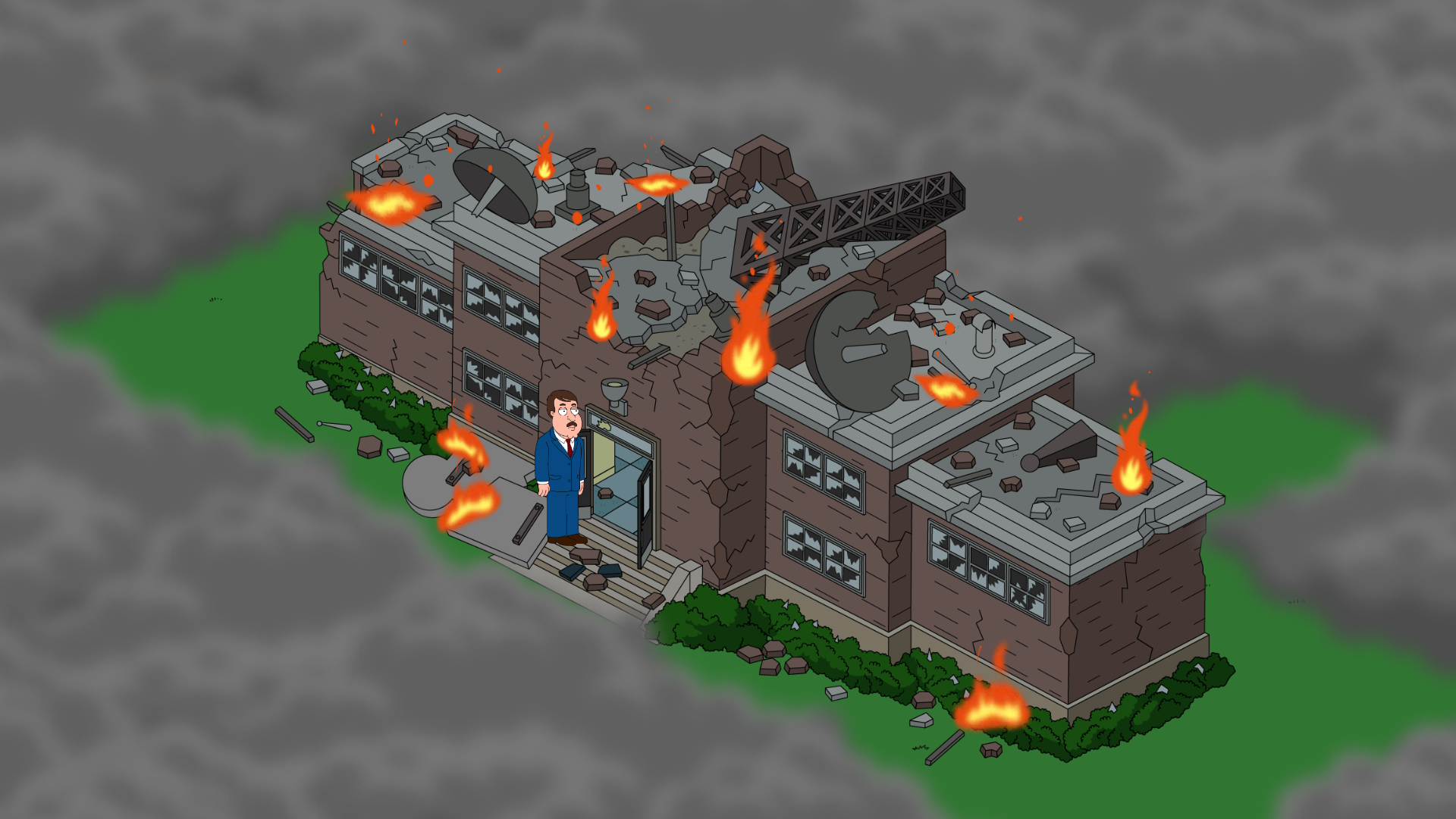
To unlock Tom Tucker, you will need to complete the “Build-a-Blimp” quests (Parts 1-7) and “What the Deuce Pt. 1.” This will unlock District 9. Once you’ve cleared enough land, you can rebuild Quahog 5 News to being unlocking Tom Tucker.
There is a patch of land at the top of your Quahog that is now there that needs to be cleared too. It is broken into 3 sections. $80,000 (1 day 12 hrs)/ $70,000 (1 day 10 hrs)/ $60,000 (1 day 6 hrs). I am seeing reports right now that this is triggering the error that I am still waiting word back on so be cautious until we get more updates on this. See top of post.

To also give you a lil heads up on what to expect, here are the items you will need to unlock Tom Tucker:
 20 Microphones (Uncommon): Stewie, Chris, Brian
 12 Action Slates (Rare): Brian, Quahog 5 News
 10 Satellites (Extra Rare): Peter, Stewie, Channel 5 News Van, Tom Tucker’s Trailer
 8 Mustache Creams (Extra Rare): Dr Hartman, Stewie
(Or you can shell out 1120 Clams to outright buy him!)
=============================================
New items:
 Lookout Tower $2500 (Mine showed up just as gears)

Stewie Billboard for Free? Woohoo! (Some may or may not see this.) As I stated, this did not show for all. I believe it was a temp glitch, but waiting for confirmation. For now, the billboard will most likely cost clams. You know that annoying glitch that completely shut down the game with the “Placeables Error”? Guess what caused it? THIS DID! So the “Free” was most definitely a glitch and caused mass chaos to players. It never should have been free at all. Only Clams.
A lot more info to come over the next few days. What do YOU think of the new District and items so far? Happy to FINALLY have a skin for Meg? Excited to Build a Blimp? Let us know, we LOVE hearing from you.
~Bunny






 Family Guy Addicts
All quest finished except Meg’s n nothing in invo so lighthouse out n stewie still not triggering the quest ..
LikeLike
Are you on iOS? Outside of Precious Metals causing the delay, I’m seeing many iOS users experiencing this. So for now, until they get in this morning, I will say the update is most likely a factor.
LikeLike
is stewies quest to build the blimp playable now? I ask, as my stewie doesnt have the ! over his head
LikeLike
Are you in iOS? Outside of Precious Metals causing the delay, I’m seeing many iOS users experiencing this. So for now, until they get in this morning to confirm, I will say the update is most likely a factor
LikeLike
I am on iOS. Done megs, so I’ve just gotta wait for the iOS update before I can do more 😦
LikeLike
Uh huh. Sorry
LikeLike
I install the update a few hours ago after it asked me to and now the game just loads to full, then I hear a knocking sound and then it just stays there with a full bar. Anyone else getting this?
LikeLike
Is your game saved to email or Facebook? If so, try uninstall / Reinstall
LikeLike
Mines still not working it keeps saying I have to update… But I’m on iOS and there’s no update yet so I can’t play 😦
LikeLike
Hang in there. Barely 8am their time. Not open yet.
LikeLike
I’ve started meg and finished Stewies quest line, but still no quest for the blimp.
LikeLike
Are you on iOS? Outside of Precious Metals causing the delay, I’m seeing many iOS users experiencing this. So for now, until they get in this morning, I will say the update is most likely a factor
LikeLike
Will the construction site for the blimp unlock all the red area in the sea or just a portion of it ?
LikeLike
Only the rig itself was there and only appeared automatically. I didn’t place it. Similar to land patch during Con and Kingdom.
LikeLike
I got the quest to build mega costume but I never got stewies blimp quest
LikeLike
Are you on iOS? Outside of Precious Metals causing the delay, I’m seeing many iOS users experiencing this. So for now, until they get in this morning, I will say the update is most likely a factor
LikeLike
I haven’t gotten the blimp quest yet, or the free billboard, but compared to so many bros and sisses not being able to even open the game I feel I have received the better end of the stick. The good thing about this is that there is no time constraint, you have as long as you need to get all the new costumes and new characters and new buildings
LikeLike
i can attest that on my IOS iphone, i am currently on the metal task with stewie, The stripper bonnie, the blimp task, meg prison and clearing 2 of 3 land but still waiting on update to sell items
LikeLike
the 2 lands i am speaking of is on the west side. everything else is cleared
LikeLike
I have the issue where I try to load my iOS game, then at the loading screen it says you need to upgrade, takes you to the apple store but there is no update….luckily I also play in android but kind of annoying.
LikeLike
I let them know. Waiting for a response.
LikeLike
Stewie just finished his 4 part quest from the other day. I already started collecting for megs jail outfit. I finished all quest lines up to today’s update. Stewie has NO exclamation on him to start the blimp quest. Am I missing something ?
LikeLike
Wait til all of Precious Metal is done and if on iOS…I am looking into it. I believe you need the update to hit your market first to progress. No worries. You got all the time for this one.
LikeLike
I have completed precious metal over night. I am keeping stewie free in case at one point it pops up today. I am also keeping all my other non task earning characters on short tasks incase they are needed when it starts. I am worried to open the game on my android tablet as if I do….it will probably not open on my Ios device after (due to the update) and my Ios is my “During the Day” and main device 🙂
hey maybe this is Tiny Co.’s way of giving the “android” market a week head start to ios users. :–) never know … LOL!!!
LikeLike
Lol. Silly. They sent them to go at same time. Waiting on market to clear and release it now. Seems iOS needs the update to start Stewie.
LikeLike
do i have to finish the precious metal quest to get the blimp one?
LikeLike
Many have asked this. I already was passed it in my test games and the quests popped up for me. Waiting for clarification from TinyCo on it, but I would say to see if that is what helps trigger it as it seems the one thing many are still on.
Outside that, other issues are the lighthouse not out, District 8 not completed, and players possibly on iOS and not completely updated (App market update not hit yet)
LikeLike
I played on an android last night and when i got my iphone this morning it wont load asking for an update… So… until iphone dishes out the update… im screwed… (android only at home)
LikeLike
Leave it to TinyCo to give Stewie a 29 hour quest and then do a 360 and require him to start another one. And what is up with needing mostly the same characters to get Meg costume and build Blimp? I so regret buying brain dead horse, Consuela and Jake.
LikeLike
Yes, you need to finish precious metals to access blimp quests. I will add that the oil rig and blimp are sooooo radical! Was so expecting old timey stuff!
LikeLike
stewies billboard still costs clams for me and the lookout tower won’t load
LikeLike
Mine was just cog wheels. Are you on iOS?
LikeLike
iOS user here – Billboard isn’t free on my game.
LikeLike
Wait then.
LikeLike
DISTRICT 9!!!!! SO EXCITING
LikeLike
This all looks pretty awesome. Nice surprise when i had a quick visit to Quohog over my morning coffee. No glitches/Issues either ( my new phone works 100x better than my old gen with the increased memory 😛 ). It’s just a pity that i spent loadsa time getting my game looking perfect over the far left and they go and add all that extra land to fill ahaha. Nvrmind , gives my creative mind more to do 🙂
LikeLike
Not cool. Cant visit neighbours as Im on iOS and it says I need to update the game to visit but no update is available. I keep checking the Appstore. That red ! is driving me insane.
LikeLike
I think it is buggin everyone. I have contacted them on all these issues. They are gonna have a full inbox come morning from me. Lol
LikeLiked by 1 person
I dont mind the wait for the characterfinder or the ability to sell stuff or any other thing that comes with the update, I guess I wouldnt be bothered with a temporary no-visiting period either if it werent for that stupid red ! that mocks me and tells me to get something that cannot be gotten yet
LikeLike
Long time, no see Minicha… Hi
LikeLike
My iOS game says I need to update when I try to open it and it takes my to the App Store. But there is no update in the App Store. Was it pulled out of the store? So my game won’t load at all.
LikeLike
Not sure what is happening with the iOS and Kindle updates. I know this update is still causing a lot of issues. Waiting for word back from TinyCo. Will update when we get the response.
LikeLike
Love this site! Thanks for all the support 🙂
LikeLike
Always 😉
LikeLike
i don’t get the placeable error now it just loads a bit then crashes and goes back to my app screen… this sucks i wanna play new tasks and get meg
LikeLike
They are working on it. I know we all wanna play, just give them a lil time. Crashing the servers with a million people still trying to tap it won’t help much. 🙂
LikeLike
I….well crap. And here I thought I was going to be able to start sleeping again.
LikeLike
What is this “sleep” of which you speak? 😉
LikeLike
It is brought upon by using some serious opiates 🙂
Then you get the best dreams too lol
LikeLike
No update for my IOS and the Android has load error. This is not good for my addiction. NOT GOOD AT ALL. Can someone give me something?
LikeLike
I’ve finished all of district 8 and all other quests besides jailhouse meg and I can’t get the blimp quest to trigger. Stewie is free and walking around but it never gave me the indication for a quest. I’m on iOS if that helps any.
LikeLike
What, if any, open tasks are left on your task menu?
LikeLike
Just the buy one get one for the coin clams thing and the new quest for jailhouse meg. I finished all district 8 at the beginning of comic con. I have the new actions for the characters but the blimb part 1 never popped up.
LikeLike
That is odd, but there is this…is the lighthouse out? He needs it for the first part.
LikeLike
That is weird lol and yes I only have skate parks and Lincoln statues in my inventory since I can’t sell them yet. I sent tinyco an in game message but I know there’s a lot of glitches they are working on. I was hoping you might of had a solution guess I’ll just wait til a normal hour and try again lol. I feel like a vampire didn’t help destiny just came out lol. Thank you as always for your help. 🙂
LikeLike
For selling, the only way I have found that works right now is place each one individually and sell them using the $ icon while in your Quahog. Happy to do what I can. 😉
LikeLike
Still no store-update for iOS but I have the Meg costume to build, the lookout tower, and I see the destroyed news station in the still closed district 9. only thing that didn’t trigger is the blimp building quest line. Stewie is still busy with the “precious metals” though, will that have to be finished first?
LikeLike
Not in store for this part. This just triggered right into the game. All of the District 8 needs to be complete to trigger it. I believe metals too.
LikeLike
Thanks! Because I finished the Freaks and Geeks stuff weeks ago i thought there might be something wrong with my game when the blimp quest didn’t show. But then I am a worrier… Mostly for no reason at all, but I am still always glad for a little reassurance 😉
LikeLike
😉
LikeLike
Can’t get in 😦 keeps crashing in the loading screen. Attempted to delete and reinstall but the it’s still broke haha
LikeLike
Give it a lil bit. A glitch hit they are working on.
LikeLike
My celebrity’s pictures are missing from facespace, is this a glitch?
LikeLike
It is glitching all over. They are currently trying to resolve them. Give them til morning and see if they are back.
LikeLike
Ol Tommy Boy is gonna take awhile. Better get started.
LikeLike
You’re all just awesome.
LikeLike
Thanks. 🙂
LikeLike
Hi. Hope you can help. I’m really looking forward to district 9 but I’m really struggling completing stewie. I have only needed 5 plutonium for 3 weeks and even though constantly sending lois and Brian I’m getting nothing. I don’t want the game too easy but nothing in 3 weeks seems a bit too much. I’m proud I’m a freemium player but it’s at the cost of so many quest lines not activated after stewie. I did send a couple of messages to tiny co but no reply.
LikeLike
I will look into this. I am still waiting for a response from them about the error message players are getting.
LikeLike
My game kept crashing when I tried to have Stan Lee do his one hour quest. After a few tries I set him for 12 hours and had no further problems. Anybody else have this problem?
LikeLike
Odd, please report it.
LikeLike
I’m having that exact same problem, last night I couldn’t even get into my game, kept getting Load Error, sent Tiny Co an e-mail, haven’t heard anything back but when I woke up this morning it loaded up alright.
LikeLike
They are working on the loading glitch right now.
LikeLike
Sad that I got the load error and the game is my main source of entertainment at work -sigh- well at least I got anime in the meantime
LikeLike
Many are reporting this. I am still waiting to hear back from TinyCo on it. I will update when I do.
LikeLike
Yay skin for meg!
Do we need to finish precious metal quest first as I didn’t have popup for any other new quest?
Lot of the characters seem to have new additional tasks although that may have come in earlier update eg Rambo Lois has one for blowing up barrels 🙂
LikeLike
Uh Huh. If you look at the list of tasks to collect items on this post. That is one of them. 🙂
LikeLike
Placed the lookout tower but just showing cogs and a hole in the ground, towers not showing, obviously a glitch.
LikeLiked by 1 person
It seems that a lot are seeing it. I put it in the post in case I wasn’t the only one.
LikeLike
If i get the load error: “There was a problem loading this save game; some placeables are out of bounds”
What should i do?
LikeLike
Report it to TinyCo. I still have not heard back from anyone yet.
LikeLike
I have the same problem, how do I report to tiny co if I can not get into my game??
LikeLike
Via Email. For now, I would say to wait as they are probably being flooded. They are aware of the issue and currently working to fix it as we speak.
LikeLike
Having that same problem, I feel slightly better, because i am not alone and It could be a glitch. At least I hope it is and an easy fix.
LikeLike
Many are reporting this. I am still waiting to hear back from TinyCo on it. I will update when I do.
LikeLike
What the heck? I was on the game and see the quest and the 3 new plots of land, get my guys to work and get a few items and place them. And leave the game, now when I log on it is saying “placeable items are out of bounds”…. And I can’t get back into my game… It keeps showing the error…. Am I screwed? Already emailed tinyco
LikeLike
Many are reporting this. I am still waiting to hear back from TinyCo on it. I will update when I do.
LikeLike
Unable to load game at all. Load screen goes through its progress bar then closes out. Can’t play at all. Any word on this?
LikeLike
Many are reporting this. I am still waiting to hear back from TinyCo on it. I will update when I do.
LikeLike
My game’s load bar fills all the way, I hear a door knocking sound and then it shuts off. I don’t even get the Placeables error. I already emailed TinyCo, but I’m not sure if they know which specific error to look into. I could not fill out an in game ticket because I can’t get in at all. Any suggestions?
LikeLike
All I can suggest for now is to try basic troubleshooting to see if you can get back in. If not, then try to contact them…but it is after hours.
LikeLike
I had that error too and I restarted my phone but now the load bar is pretty much full but u hear a knocking sound in the background and It returns to my home screen. I dunno if this is being sorted or something I should seriously worry about 😦
LikeLike
Many are reporting this. I am still waiting to hear back from TinyCo on it. I will update when I do. Hang in there for now. Sorry. You are welcome to contact them if you’d like, but it is after hours.
LikeLike
Well maybe tiny co is working on the load save game problem becauce my game now just shuts down before I get the msg ,)
Hope they figure it out soon
LikeLike
Me too.
LikeLike
I just checked my game. Stewie doesn’t have the prompt to start the blimp quest, but I did get the one for Meg’s prison costume. Do you have to have finished Stewie’s precious metal questline first? I’m still working on that one.
LikeLike
District 8 has to be completed in order to trigger it.
LikeLike
I’m completely done with District 8 but I don’t get a Stewie quest line, just Meg?
LikeLike
What quests, if any, do you still have open in your task menu on the left side?
LikeLike
None, all done
LikeLike
Wait to see if it triggers after Meg finishes her first part. In the meantime I sent info to TinyCo for verification.
Are you by chance on iOS?
LikeLike
Yes IOS. All I can do is try to create Jailhose Meg and clear the new land.
LikeLike
Hang in there then. Hopefully iOS will release the update soon. Work on Meg til then if you can.
LikeLike
ive the same issue Bunny, i have completed district 8m finished stewie’s new questline also and just working on megs costume.. ive no notification for district 9 or to work on the blimp quest .. im on ios btw
LikeLike
Outside of Precious Metals causing the delay, I’m seeing many iOS users experiencing this. So for now, until they get in this morning, I will say the update is most likely a factor
LikeLike
Same here. I’m on iOS. Do we need to wait for the App Store update in order to get this?
LikeLike
Outside of Precious Metals causing the delay, I’m seeing many iOS users experiencing this. So for now, until they get in this morning, I will say the update is most likely a factor
LikeLike
Peter was fine on mine, but meg was just not there even though she had dialogue.
Sadly I’m getting the placeables error on droid and can’t play on iPod since it wants me to upgrade and there isn’t an upgrade available. Hope the issue is fixed by morning. Just unlocked stripper Bonnie before all this started.
LikeLike
I am sure they are being flooded with support tickets right now.
LikeLike
Soooo I’m on Ipad and my game would just keep crashing and a prompt from Tiny Co came up saying to uninstall and then re-install. I’ve done that and the same problem persists. Anybody else having this issue?
LikeLike
There is a glitch right now. They are working on it.
LikeLike
Ok. Something with meg. Thought she was going to be ignored in the game, j just like her family does on the show.
LikeLike
Is this limited time or there forever?
LikeLike
Part of District 9. Here to stay. 😉
LikeLike
Is megs outfit going to be a timed event or do we get to enjoy working on both her outfit and district 9?
LikeLike
Part of District 9 😉
LikeLike
Awsome thanks bunny and hope all is well at home
LikeLike
I will be ok, just want to make sure all of YOU are ok too and can get in your games. Thanks for the kind words though. 🙂
LikeLike
Ask and we shall receive!
LikeLike
Yep. I’m one with the load error. Lets hope they sort it out in time to still get a chance with Meg…..no. not in that sense. 🙂
LikeLike
Help! My account won’t let me in. It says that there are some place angles out of bounds. Also how do I get a support ticket out of game.
LikeLike
Placeables, sorry.
LikeLike
One more time, sorry, I didn’t read the message.
LikeLike
Hang in there. They are working on fixing it.
LikeLike
Ouch. Just missed this post. That was the message I received. First reaction was to delete game, reinstall. Then message changed to “Data Error. There was a problem configuring the game. Please try again.”
So maybe wait, ’cause deleting and reinstalling didn’t make it better this time. )
LikeLike
Also I can’t visit some of my neighbours
LikeLike
Glitches hit, they are working on it now. Give them a lil bit. 😉
LikeLike
Is it limited time or not?
LikeLike
All this is part of District 9
LikeLike