
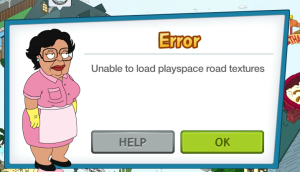
UPDATE 12/5: The Consuela Error popping up “Unable to load playspace road textures” was supposed to be resolved last night. It is still plaguing some Players though. I did report it to TinyCo and still awaiting another update on it. Will note here when I do. Hang in there.
Hey there Skynet!
1000011110011010011001111010010100111000110…
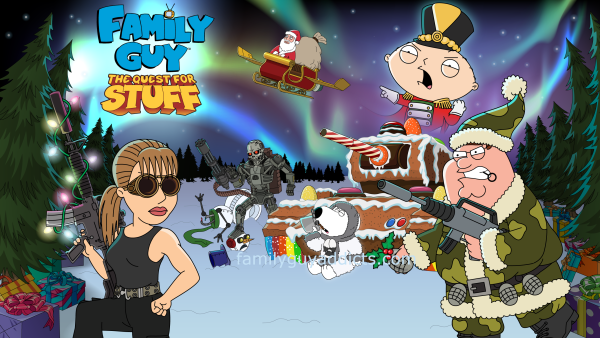
Maybe that’ll hold it off a bit? Lol. It’s that time of year again… TO LOOSE OUR FRAKKIN MINDS!! Christmas has hit Quahog and it is gonna be an all out war… with the Machines. WOO HOO!!
But for reals, there looks to be LOTS of goodies coming with this New Event that I know I am excited to see how it plays out. I am sure you are all anxious to jump in too… so here we go with the Christmas 2015 Event Breakdown… Phase 1!
RAID TO THE NORTH POLE ENDS THURSDAY, JANUARY 7TH @3PM PACIFIC
Usual points I try to drive home EVERY EVENT…
- Make sure your device is up to date in the App Market. It helps things work a bit more smoothly that way. Newest App Version is 1.15.0
- You must be to at least District 3 and have Al’s Unlocked in your game to see the Event Content.
- PLAY THE GAME! Many items have specific “unlock” points throughout the dialog, questlines, and game play. So you actually have to “get into it” before seeing it all and being able to access it all.
- Don’t get too “Tap Happy”. Just because something is there to be unlocked, be careful. We know fully well by now that there are built in “Surprise” timed items during the Events, so approach new items with caution. If you are not sure if you should tap it, then don’t and wait a bit til I run through all the new stuff. Otherwise, tap at YOUR OWN RISK! It may take me an hour or a bit more… but that time it takes me to play it out could save you a LOT of headache in the long run.
- PATIENCE! I can’t turbo speed an entire week’s content in 5 minutes, so wait… keep checking the post occasionally… as I will update all the details as I hit them in MY game myself. If there are spawns, I got to wait for them to spawn too. So hang in there and I will get you all the info I can as soon as I can. 😉
Here are a few things to tie you over and to start you out…
HOW DO I GET TO THE NORTH POLE?
You will need to first reach Raid to the North Pole Part 5, then you can tap on the Event Area to go to the North Pole. Yes, this will be similar to Star Trek in that it will be a separate Play Space. Also much like Star Trek, you will be unlocking portions of it in Phases. Once you go there and back, then the North Pole Icon will appear in your game in the Lower Right Corner.
There will be additional places IN the North Pole to get items. Place like Santa’s Supply Depot and Headquarters. More on that a bit later.
WILL THERE BE TIMED ITEMS?
YES. So far, one that I can see for sure… I will update if more appear as I go through it.
Lyle is at Santa’s Headquarters and similar to past Events, you have to unlock the items in front of him to reach him. Once there, you will only have 24hrs to get him. Will have more details later on this.
SNOWMEN

Snowmen will start appearing in your game AFTER Raid to the North Pole Part 4. They will be located at the North Pole Play area, so you will need to be able to travel there before being able to clear them. I saw at least 6 as soon as I entered the North Pole Play Area.
Snowmen: Drop 1  Silver Bell OR
  Toy Army Men
CHARACTERS
 Santa Claus: (If you already unlocked him last year, you can bypass this information.) To unlock Santa Claus, you must place the Gold Gift Box for $250 (
as I have it, let me know what cost you see for the Gift Box) to see his required Materials you will need to collect for him.
Requires
 3 Chocolate Chip Cookies (Common): Peter Cook Disgusting Vegetables OR Quagmire Let the Gerbil Loose
 4 Glasses of Milk (Uncommon): Jerome Host Happy Hour OR Chris Hang Out at Home OR Joe Go Undercover
 3 Candy Canes (Common): Bruce Sing Christmas Carols OR Mort Restock Ipecac Syrup
 Christmas Camo Peter: This Peter Costume unlocks once you reach Raid to the North Pole Part 5, at that time you will then find him in your Characters or Event area of the Shopping Cart Menu. Tapping on “CREATE” will take you to Al’s. Here you will see his direct Clam Buy Out cost as well as the way to earn each Material instead to pull him into your game.
Requires
 20 Camo Paint (Uncommon): Mort Scrounge for Coins OR Bruce Frolic With Jeffrey OR Quagmire Enjoy Carrots OR Reindeer Training Facility (Santa’s HQ)
 10 Army Rations (Rare): Bonnie Twerk It OR Chris Fat Kid Hula Hoop OR Season’s Greenhouse (Santa’s HQ)
 70 Toy Army Men (Common): Clear Snowmen
 3 Holiday Grenades (Common): Naughty or Nice Surveillance Center (Santa’s HQ)
LOTS MORE COMING!!! Back with more in a bit.
BUILDINGS
 Snowman Prototype: 200
  Clams, Earns $40 & 90xp every 4hrs, ALWAYS drops 9
  Magic Hats (Yes, this is REALLY small right now. They are aware and already working on it.)
 Santa’s Arsenal: 100 Clams, Earns $80 & 150xp every 6hrs, ALWAYS drops
  Unleaded Egg Nog
 Snow Fort: 150 Silver Bells, 1hr Build Time, Earns $40 & 120xp every 4hrs, ALWAYS drops 5 Silver Bell
 Gold Gift Box: $250, Earns $30 & 20xp every 4hrs
 SnowJack-in-the-Box: $1400, 2hr Build Time, Earns $30 & 70xp every 3hrs, ALWAYS drops 5 Silver Bell
ONCE IN NORTH POLE
 Core of Christmas Cheer: 140 Clams, $60 & 120xp every 6hrs, ALWAYS drops 1 Each
  Camo Paint &
  Army Ration &
 Holiday Grenades
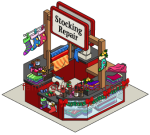 Stocking Repair Shop: $1500, 8hr Build Time, Earns $80 & 80xp every 8hrs, ALWAYS drops 10 Silver Bells
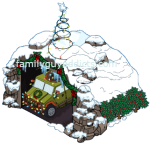 Humma Hangar (Raid to the North Pole Part 6): $1000, Build Time 10s (more info in North Pole Below)
DECORATIONS
 “Meet Santa” Sign: $500
ONCE IN NORTH POLE
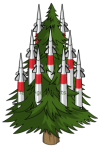 Hidden Missle Silo: 50 Silver Bells
 Holly Tank Trap: 10 Silver Bells
 Snowball Catapult: 70 Silver Bells
 Blast Trail (#1): 5 Silver Bells
 Blast Trail (#2): 5 Silver Bells
SILVER BELLS

These are a form of currency you can use to exchange to get items (like Buildings/Decorations) for the Event. Yes there is a counter for them in the Lower Right corner of your game.
LEADERBOARD

Yes, they are back. Not live just yet. More details coming on them soon. 🙂
NORTH POLE
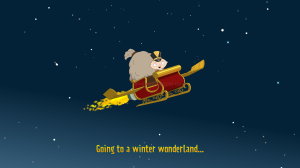
Like noted up top… you will need to first reach Raid to the North Pole Part 5 in order to be able to go to the North Pole. At this time you will notice the Event Area changed from a simple Snowman to now Santa’s Rocket Sleigh. Tapping on the Sleigh will give you a Pop Up… “Leaving Quahog”.
When you first arrive, just one section will be Interactive. Another section not yet accessible will show (Santa’s Village), but be darkened out. It will all be surrounded by what looks like the typical “grey clouds” on land. You will access this area and Unlock it in Raid to the North Pole Part 6.
Only a few Characters first traveled over to the North Pole with me too. I noticed Santa, Bruce, Mort, Peter, Stewie, Quagmire, and Chris.
Here are the areas I saw in the Open Section of the North Pole
COVERED SLEIGH
This is how you can get back home. Tap on it to go back to Quahog. There is also a Home Icon in the North Pole Screen in the Lower Right you can also tap to go back.
AL HARRINGTON’S
Same as in Quahog, you can see all the Costumes here. I would suggest to go back to Quahog first before Creating any Costumes.
SANTA’S SUPPLY SHOP(TRUCK WITH GIFTS)
 CHRISTMAS PRESENTS: These are the Currency that will be used mainly in the North Pole. Yes there is a counter for them in the Upper Center of your game.

You will have to go to the North Pole and to Santa’s Supply Shop to trade Materials to get Presents. I will list the “Trade” options in the order I saw them in my game.
 8 Presents: 4 Magic Hats
18 Presents: 9 Magic Hats
26 Presents: 13 Magic Hats
42 Presents: 21 Magic Hats
64 Presents: 32 Magic Hats
52 Presents: 26 Magic Hats
68 Presents: 34 Magic Hats
***in progress***
SANTA’S HEADQUARTERS (ARMY TENT)
Here is where you can exchange Presents you got from Santa’s Supply Shop to get additional Items for the Event.
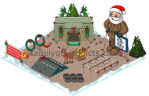 Reindeer Training Facility (Building): 20 Presents, Earns $80 & 150 xp every 8hrs, Drops 2
  Camo Paint
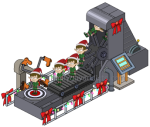 Elf Punting Machine (Decoration): 45 Presents, Animated (it really punts them off the screen. Lol)
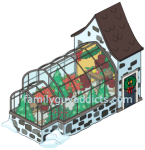 Season’s Greenhouse (Building): 76 Presents, Earns $40 & 80xp every 4hrs, Drops 2 Rations
 Naughty or Nice Surveillance Center (Building): 112 Presents, Earns $60 & 120 every 6hrs, Drops 2 Holiday Grenades
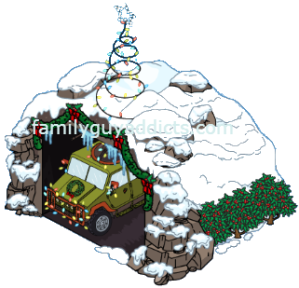
 Impenetrable Igloo Fort (Building): 127 Presents, Earns $120 & 200 every 12hrs
At this point, ANY further tap on Santa’s Headquarters will start the 24 HOUR TIMER on Lyle, so make sure you are prepared to get all the Presents needed to get him. Or decide to keep them for the Next round and just let him time out and Pass on him. Remember, these are labeled HARD for a reason. Many of them are like a Premium Item and will require Clams spent to get them all. Decide if he is really worth it to you before proceeding.
 Lyle (Character): 250 Presents, Fully tasked, comes with a Questline, will help you out in the “Santa’s Village” Battles, He is not currently voiced- checking on if he will be in future.
HUMMA HANGAR
The Holiday Humma can be built once you reach Raid to the North Pole Part 6. This will be used to destroy things in Battle. The Holiday Humma can be upgraded using Lights.
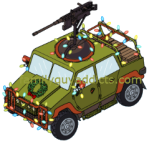 Holiday Humma:
Level 1 – Begins
Level 2- Cost 1  Lights
Level 3- Cost 6 Lights
Level 4- Cost 6 Lights
***in progress***
BE WARNED: Keep your Humma low level as long as possible. The more you upgrade it, the harder it is to take an upgraded building down and get any prizes.
SANTA’S VILLAGE
This will not unlock until Raid to the North Pole Part 6. Here is where you will do “Battle” with the Holiday Humma. Kind of like Events Past (PeterPalooza Side Shows), you can select Characters to use the Humma and Battle. Up to 3 at a time. Just tap on the ! in the area to start a Battle.
- The Level of the Humma will vary the “Strength” of the Humma and more likely to do Damage and Destroy things. (You can see the amount of Buildings the current level and Characters will destroy in the Pop Up screen)
- The More you Destroy, the more items you will likely get in return.
- You can earn items like Magic Hats, Medals, Lights
To Start, Santa can do Battle. (As you progress, Christmas Camo Peter & Lyle can join.) Adding another Character will increase the Strength too (mine did by 10)
- The first “Battle” cost 2 Unleaded Egg Nogs
- Takes 4hrs (Characters will not be able to be used elsewhere until 4hrs are up)
Once the Battle Completes, you will see a Heart Icon over a now broken down Building in Santa’s Village and an X on the Humma that shot at it.
- Tapping on the Heart Icon over Damaged Building will give you your Reward.
- Tapping on the X over the Humma will reset the area so you can start again.
HUMMA LEVELS/PAYOUTS
Level 1 Battle, 1 Character (Santa), Strength 10/150, Take out 1 Building, Reward 3 Magic Hats, 1  Medal, 1 Lights
Level 2 Battle, 1 Character (Santa), Strength 20/150, Take out 2 Buildings, Reward 6 Magic Hats, 2 Medals, 2 Lights
Level 2 Battle, 2 Characters (Santa/Lyle), Strength 30/150, Take out 3 Buildings, Reward 9 Magic Hats, 3 Medals, 3 Lights
Level 3 Battle, 1 Character (Santa), Strength 30/150, Take out 1 Buildings, Reward 6 Magic Hats, 2 Medals, 1 Lights
Level 3 Battle, 2 Characters (Santa/Lyle), Take out 2 Buildings, Reward 9 Magic Hats, 3 Medals, 2 Lights
MATERIALS
Quick Reminder, just like any other Material Collection, these items will NOT show up until you have reached the points they are needed or unlocked the Character, Decoration, Building, Etc that drops them.
 Magic Hats: Santa’s Village OR Snowman Protoype
 Lights: Santa’s Village
 Unleaded Egg Nog: Peter Ask for Toys OR Bruce Fret About Something OR Chris Enjoy Private Time OR Santa’s Arsenal OR Questline
QUICK QUESTLINES
Raid to the North Pole Pt. 1
Peter Starts
Place the “Meet Santa” Sign: Cost $500
Have Peter Down Egg Nog: 20secs
Raid to the North Pole Pt. 2
Peter Starts
Place Santa’s Gold Gift Box: Cost $250
Have Quagmire Watch Christmas Movies: 4hrs
Raid to the North Pole Pt. 3
Peter Starts
Have Bonnie Return Christmas Presents: 2hrs
Build the SnowJack-in-the-Box: Cost $1400
Raid to the North Pole Pt. 4
Peter Starts
Unlock Santa to be Able to Travel to the North Pole
Have Bruce Sing Christmas Carols: 1hr
Raid to the North Pole Pt. 5
Peter Starts
Travel to the North Pole: Tap on “GO” or the Sleigh in the Event Area to go to the North Pole
Clear 3 Snowmen in the North Pole: Tap on Snowmen in the North Pole to clear them.
Lots more info to update and more posts with detailed “How To’s” coming. For now, this will at least get you started.
What do you think of it so far? Are you progressing fast like me? Are you finding it going well so far? Good pace for just a few hours in? What are you looking forward to the most? Tips you want to share of what you are doing so far? Let us know.
~Bunny






 Family Guy Addicts
Ok need advice do I focus on peters outfit or getting drinks so I can attack. I know it will probably all work out but those drinks should be an always drop not common and why do they require people who are needed for other things. Enjoying the snow though.
LikeLike
Battles will be needed. So focus on both. Getting Nog and unlocking Peter.
LikeLike
Interesting Humma Level 2/1 Character gives same pay out as Level 3/1 Character…
LikeLike
Because it gets harder. More details coming but stay low levels as long as you can.
LikeLike
I’m an idiot. Went to level three per questline. Should have waited.
LikeLike
I lost Santa claus, I have the golden gift box but I can’t find him, is this normal?
LikeLike
You at part 7? If so, restart your device, go back to game when done, to north pole, and see if he’s walking around.
LikeLike
Can I get the 1.14 version back? The consuela error means I cannot use the game at all. I’d rather miss out on the event & be able to continue my district quests.
LikeLike
@ Daba.
Ok reposting in case my first one didnt go through as I dont see it anywhere with a moderation waiting at all on the page since I hit post comment.
I also noticed it say You need version iOS 7, and my ipod cant go past 6. But it allowed me to update to the last version before. The game always crashes on my ipod anyway when loading so, that wont help me much. However…
You can play family guy quest for stuff on Facebook website on your PC. I think you need 2 gb ram at least. And I use chrome browser for it which is suggested i believe. If you need to buy clams or whatever, facebook can do it via paypal I think. This website should remember there is a facebook version, I am pretty sure thats how I found out about its (FB version) existence in the first place. Just a reminder Bunny lol.
If that doesnt work you can try blue stacks on PC, and play the android version of the game (this program also requires 2 gb to work at all) not every app works on it but I have never had a problem with family guy on it once I got it downloaded. Only problem is you need to have “saved your account” to facebook or one of the other methods and start a google play account. Also if there are problems with the android version it might effect it on bluestacks as well. one time, there wasnt a “compatible version” for the android that bluestacks emulates but that was long time ago.
You can also use both these versions to do certain things (but not at the exact same time). For example durin Peterpalooza I played on facebook and when I unlocked characters I got on bluestacks and downloaded the free albums since only android versions got the free stuff..
LikeLike
Lol. In my post for “issues” in the top bullet points… I specifically even noted playing on Facebook 😉
LikeLike
I’m having trouble with the humma, I go to do a battle and I can’t select santa, it says he’s locked but he’s not. Am I doing something wrong?
LikeLike
Do you have Santa free? Is he wandering your town. Restart your device to make sure he is.
LikeLike
I can’t download the game from the Google play store. It says it isn’t compatible with my device but I know it is because I’ve played on it before. Yes I have rebooted my phone. Samsung Galaxy S4. Any other suggestions?
LikeLike
Message TinyCo. All details in this site and this event are brought to you courtesy of my GS4
LikeLike
I notice it was not mentioned here so I want to be helpful and say that to get this upgrade has the new requirement for IOS devices, moving the minimum version from 5.x to 7.x. This requirement knocks me out from playing this, Merry Christmas to me I guess. I’ve written Tiny Co asking that at least they allow the last version to continue to work, even without new content so we can continue to enjoy the items we spent clams and hours upon hours to obtain. As I understand, there is a windows version that doesn’t get new content, does it still work?
LikeLike
It is stand alone. Not linked to Mobile in anyway. Can’t save or load accounts. Play only. District 1 to 8 only.
LikeLike
I guess you’ll be asking Santa for a new (or used) iPad for Xmas. 🙂
LikeLike
You could play it on facebook maybe?
LikeLike
You can play family guy on your same account on the facebook version. you do need like 2 GB ram on your PC though. I also use Chrome for it as I think it is suggested. Just go on your facebook page and search for family guy quest for stuff.
LikeLike
Who is that guy from the aliminium tree district?
LikeLike
Snake Plisskin… aka Kurt Russell
LikeLike
Don’t care about terminator that much. Hope we get some cool stuff. Also I want to keep the north pole forever. Need space!
LikeLike
Have bought one of the snowmen(?) that makes hats. I regretted not buying each snack generating item at Halloween so I hope this is the right move!
LikeLike
I seem to have a different issue. Sent Santa to battle. I have a check mark over the hanger but tapping it just takes me to the building he attacked but it looks fine. No hearts or x’s as described here.
Any ideas?
LikeLike
When it takes you to the area, do you see the pop up of how much time is left on the Battle? 😉
It is there to let you know he is busy. Yes a lil thrown off as we are used to “tap on a check mark”, it is actually letting you know that one part of his battle is done, but the complete battle still take the full 4hrs unless you spend Clams.
LikeLike
My comments is in no way a reflection on you guys, I think you go above and way beyond for this site and everyone who plays the game. I have been devoted to this game and Tinyco, defending them, even using them as an example for another poor company whose game I also play. With that being said, and I know it is still early, but it looks and feels like this event is extremely overwhelming, doing this to get this to get that, why 3 steps to do one thing? Why is Santa and Stewie walking around with no tasks for drops? Who is Christmas for if not kids and Santa? I will try my best, but I am not stressing over this event. Thank you and Merry Christmas!
LikeLiked by 3 people
It just started. Easy going so far as I play through it. It may seem overwhelming at first… but again, that is because you got to play it a day or two to get a feel. Just like getting a new toy, electronic, shoes even… gotta break em in a few days before you get a good feel for it.
Santa needs to be kept free so you can use him for the Humma Battles (like outlined in this post). That will make him useless for anything else. You will need those supplies for this event so you WANT Santa free to run it over n over n over. 😉
LikeLike
I feel the same way. I know it’s early, but it feels a lot like Halloween needing a 3 part process to trade things in. I still think it would be nice if a general outline of an event like this was given out so we could decide if it was worth our time to play. All it takes is one item to not drop at a reasonable rate to set you back. Hopefully that won’t happen, cause it seems like a fun event.
LikeLike
I still am getting the same error as everyother Android user. I am hope that it gets fixed soon, very frustrating not being able to play. I am hoping that when we are finally able to get in and play that we get an extension on when it ends.
LikeLike
Hang in there… it is not even 24hrs into the Event yet. You are not missing too much so far. 😉
LikeLike
Still getting the error message from Consuela about playspace road textures. It started at 4:30 am which was 8 hours ago. I’ve emailed Tiny Co. but haven’t heard back. I’ve rebooted my device (an Android phone) and uninstalled and reinstalled the game to no avail. I’m pretty excited to start playing again. Any suggestions or advice?
LikeLike
See top of post Update
LikeLike
Here is how i set up my premium acct
4 Snowman prototype (36 hats every 4 hours )
4 Santa’s Arsenals (4 eggnogs every 6 hours, this will help me stay ahead of the 4 hour attack curve)
1 core of Christmas cheer to help get camo Peter’s rares.
This keeps my characters free to work on getting peter unlocked and will help me level up my humma, and should blaze me a trail thru the magic hats to trade in very quickly.
Based on where i am currently in the game, i should have Lyle in 48 hours tops (this doesn’t include hats from any other resources) which should also give me about 4 days of stock piling presents for the next level.
And remember if you need to build something, do it at the north pole so it won’t tie up a worker.
Good luck.
LikeLike
Am getting an error ” unable to load playspace road textures ”
I forced closed the app, uninstalled and re installed it. Restarted device many times but no effect. Please Help!
LikeLike
Many are. Hang in there.
LikeLike
Guess I’m not the only one have the road texture issue, and not being able to load the game, tried clearing the cache (which didn’t want to clear for some reason), uninstalled and reinstalled, restarted the device, and still nothing. I’ve emailed tinyco this morning (UK time), so probably still early doors yet on the West Coast.
Anybody else having this same issue, or possible solutions? (Android running lolipop by the way)
PS great site
LikeLike
Still some having issue. Waiting for word back from TinyCo as it should have been resolved last night. Are you on the 1.15 version of the App too?
LikeLike
Yes it’s 1.15.0
Hopefully I don’t miss out on that much, also hope that I can use the same Santa from last year.
LikeLike
If you look at this post, you’ll see your Santa inquiry already answered. 😉
LikeLike
Every time I open it says cannot load playspace with consulala.
I’ve reported but cannot even access the game to do anything.
Might have to delete & start all over again?
LikeLike
Reported issue… again. Was supposed to be corrected last night. Have you restarted your device already?
LikeLike
Yes I’ve restarted & cleared lots of device space. Will try reporting again, thanks
LikeLike
Thanks for getting this up so quickly. Also, love the new “holiday” theme music. Very welcomed change.
LikeLike
I don’t have any holiday music in my game?!🎄😭
LikeLike
I got Lyle and had a funny glitch come up. I tapped close to where the reindeer training area is and had a flash about the artificial aluminum tree lot being locked. It showed Stewie in a nutcracker outfit and some guy that must be the salesman. I’m assuming we won’t get the next round of prizes until the first week is over. LOL
I’m sure I am not alone in thinking no go on even attempting the leaderboard; I’ll take something if I earn it through regular gameplay
LikeLike
😉
LikeLike
Core of Christmas does not drop the three items we should be getting always – only coins.
What’s up with the three additional districts – Broken Toy Camp, False Tree Field and Santa’s Workshop. There are also three new characters and two new skins – Stewie and Quagmire. Is there some way we will be able to keep these districts after the event is over? I’m confused.
LikeLike
Are you collecting for Peter yet?
This is week one. Things won’t all hit at once. Lots more to come over next few weeks
LikeLike
I updated via the play store now I can’t log the game..error message..unable to load plays pace road textures. what does this mean? is it going to be fixed? I’ve emailed tiny co but haven’t heard from them.
LikeLike
What device are you playing on? Try restarting your device?
LikeLike
I’m having the same problem on my phone (Samsung)
LikeLike
Hey Bunny
I’ve updated the game – I’m playing on a Samsung phone. But every time the game opens to play Consuela pops up saying Unable to load play space textures… or something like that. I just wanna cry 😦 What can I do? 😦
LikeLike
Hang in there. Others having issue too. Waiting on word from TinyCo.
LikeLike
I haven’t been able to access the game for at least a min. Without crashing to contac tinyco for help. I crash secs at a time on my iPad. I over thus game but this event us making me want to delete the app. Help help anyone. Crash as soon as I past the long wait of the home screen to lead then I enter into my inventory or shop. And down it goes. I have cleared deleted and reloaded over n over.
LikeLike
Store items away.
LikeLike
Pulled Santa out of inventory,got to part 7, now Santa is missing. I can’t select a driver for the humma
LikeLike
Did you send him on a task? Tapping on his greyed image… does it take you to him?
LikeLike
Thanks for the detailed post as usual! I like that we can now get Father Christmas as I wasn’t able to last year. So much stuff I ended up missing. I hope that when I go to stay with my Dad I will be able to connect. I don’t know why but TQFS and Tapped Out don’t work. Everything else does and his connection is the best out of everyone I have. I can only assume some sort of firewall is blocking it but he claims he doesn’t have anything that should. I keep missing time in events and it disrupts quite a bit. I am also getting the error about the roads, I tried uninstalling and installing it again, but it did nothing. I used the help message to contact TinyCo, and I attached a screenshot. Hopefully it can be fixed soon. I don’t want to get to far behind this early on. I think last year’s event seemed nicer, but it is way too early to say and make a fair judgement.
LikeLike
I’m starting to feel like playing this game is the equivalent to getting a degree in Rocket Science with a minor in Bio Engineering, while I’m studying to take my LSATs and volunteering 80 hours a week after I leave my internship. Thank you Bunny and Alyssa for making this maze understandable. Super appreciated to your hard work and dedication.
LikeLike
What’s going on with android? Can’t update it. Email tinyco. says device is not compatible. Do I uninstall it and reinstall it?
LikeLike
Is your game saved? If so… then go ahead… but if it says it’s not compatible you may have another issue. What are you playing with?
LikeLike
Yes its saved. I’m playing on Android. Him much space do I need?
LikeLike
I give mine 2 to 3GB
LikeLike
All I have is 200mb. So its not gonna work?
LikeLike
This game takes at least 600 or more to fully load
LikeLike
I only have 200mb. Does that mean I’m not going to get the Christmas update? Let me know right away please. Tryna figure out what I should do. Tinyco. is not getting back to me. Just let me know please
LikeLike
All together you want over 1GB for the entire game. Each update varies in size but added up the game file is huge
LikeLike
Thank you bunny
LikeLike
I decided to unlock Santa immediately since it only cost something like 92 clams. But as soon as I did, he was gone. He’s not wondering my town, he’s not in my FaceSpace list of characters. He’s just gone. I still have Quagmire doing the 4 hour task to watch Christmas movies. Does anyone know if he will appear then? Or is this a bug? 😦
LikeLike
Did you check inventory? Check the Gold Gift Box to see of he’s still there with Bouncing unlock icon?
LikeLike
In prep for waking up to this event today, I put all the thanksgiving stuff away, pulled out some old Xmas bits and had a tidy up of excess buildings generally. I arrange my town in such away that I have a central play area for events as it makes things easier. I have splashed a few clams to speed up but just waiting on Bruce’s hour long task now. I’m not fussed by the leaderboard and will be happy with anything I win from it. Thanks bunny for the quick walkthrough, I am looking forward to entering the separate area, sounds like we are in for lots of xmassy fun!
LikeLike
Just wanted to confirm, the update is definitely working on my Kindle Fire hd, not sure why others are having problems with it? My app store says .15 so the latest update is there for some… maybe restart your kindles? I always have to go and manually find the game in the store as well, it rarely comes up under the update tab.
LikeLike
That’s what I’ve been suggesting… use App Page… but people still seem to struggle to find it.
LikeLike
Anyone else missing Santa’s Gold Gift Box? The game says I’ve already placed it, but it’s not in my town or my inventory (and I’ve looked very carefully through my inventory, three times). I know I bought it last year, and I’m not worried because it’s not needed for event currency, at least not yet.
LikeLike
If it’s checked off… it’s in your town somewhere. Mine was in Inventory and didn’t check it off til I placed it in Quahog.
LikeLike
Playing on a Galaxy Tab S, and so far so good! I am working at unlocking Santa, and it looks like they made it a fairly easy get. Not sure about buying any of the clam buildings for materials, since every single event, without fail, I have had a ton of leftover materials. I do hope that you are not required to buy too many buildings and unwanted decos to move forward, as I have no room left to place them, but based on what has been done the last few events, it looks like buildings and decos are going to be mandatory purchases in order to move forward.
I love that you can buy the Snow Jack in the Box for 1400 in coins that will drop 5 bells every 3 hours, or you can spend 150 bells to buy the Snow Fort that will drop 1 bell every 4 hours. Such a deal! *grin* I am betting it will end up being a mandatory purchase to move forward.
And I know Bunny has said it dozens of times, but for the love of whatever or whoever, the game has been live for less than 5 hours of a month long event, so why not wait a few days before bitching about leaderboards, end game prizes or game mechanics until you get a sense of how things will play out?!!
Bunny, thanks for getting the information up so quickly, as it confirmed for me that getting Santa as soon as possible was important, since you need him to get past part 4, and to get to the North Pole for Part 5!
LikeLike
While I’m giving the chance where due on this event, I’m shocked that they’ve used the same mechanics that many have complained about from all this years events combined: Leaderboards; Mandatory deco progression; the dual currency that’s difficult to obtain; get item to build item, to build item, to get item to to buy item; overuse of characters to snag multiple items; cramming 6 weeks of content into 4 weeks (just counted the zones) the list goes on… but, I’m hoping somewhere along the way they’ve figured out what players don’t like about these facets of the game and will put less emphasis on them and more emphasis on things we love about the game. Not complaining as so far it’s been fun. I’m remaining optimistic until proven one way or the other. Oh, anyone else catch Snake Pliskin coming up 🙂
LikeLike
I have seen a LOT of spoilers for the Entire Event, but until they’re live in the game… they’re just cool image. 😉
LikeLike
My game is constantly crashing every single time I try to play. I have the Christmas update installed and have been able to place a few of the Christmas items but now the game crashes every 20 seconds. I have put most of my stuff (that I had out) in inventory, I have heard people say having too much in the game can make it crash, but it still crashes even though I don’t really have anything out now. I get no message or anything when it crashes, it just goes back to the home screen on my iPad. I have never had this trouble with the game before – it is usually quite stable for me. Not anymore. 😦
LikeLike
Message TinyCo of you tried the basics
LikeLike
I thought of doing that but all I can really tell them is my iPad information and that the game keeps crashing. I have no error message or anything else to report. I hope they know what I am talking about with only that information?
I personally am thinking that it is the falling snow making it crash. I wish there was a way to turn it off.
LikeLike
My game seems to be working alright now. 🙂
My town is just about empty now though, almost everything is in my inventory. A bit of a waste since so much work and money has gone into it. Oh well, perhaps when Christmas is over and the snow stops, some of those things can stop hibernating and come back out again. 🙂 I have never had a problem with crashing in the game before (as I try never to put too much out at once), so it must be the snow. Hey snow, you blow! 😉
LikeLike
Me too!! 😦
LikeLike
I have been crashing since this event started too. I haven’t been able to play as well.
LikeLike
I had this. If you are on IOS close all background apps and do a soft reset. Worked for me.
LikeLike
I messaged tinyco about this. Apparently if you upgraded to iOS 9 and have a 5th generation device then the game will not function as properly as they should. They told me they are working on a possible solution. I had my game crash five times in the span of 5-10 minutes. Very frustrating but it is what it is!
LikeLike
Hi Bunny my game is crashing every time I try to get Madeleine’s boutique out of storage any one else reporting this ?.
LikeLike
How full is your town? With snow blowing RAM will be pushed to max. Give the App room to function. Store any unwanted items and animated items away for event duration to help
LikeLike
Everytime I go to send them on a new task line for the new event it crashes. When I went to send quagmire in part 2 it crashed, Bonnie in part three… I don’t get it. Should I send tiny co a message bunny?
LikeLike
Yes. Do some basics too. Remember with snow flying it’s gonna mess with RAM
LikeLike
The kindle store shows version 1.14 not 1.15 in the specs
LikeLike
So it’s not updated yet.
LikeLike
App Version is 1.15.0 is downloading now on my Kindle @ 8:00 am on 12/5!
LikeLike
Hi, Thanks for the update already! Quick question. Part 2 requires to place Santa’s gold gift box. Mine has the check mark already but I don’t think I placed it. Hopefully this is something silly that I am doing. Any thoughts? I don’t want to have issue. Thanks!
LikeLike
You play last year? If yes… you probably got it in Inventory or game already
LikeLike
Thanks Bunny! I did play. Didn’t see in inventory. Off to scour my town. Lol. Thanks again. 🙂
LikeLike
Thanks again. Found it! I appreciate your quick help. 🙂
LikeLike
Santa looks easy to unlock, all common or uncommon items.
But I honestly am feeling chilled every time I look at the snow blowing around in Quahog, especially since most characters are still running around in short sleeves.The graphics are just too real! Triggers bad memories of constantly being frozen all winter especially when we lived in Michigan, where the snow started in early October. I remember looking down at my hands in grade school and they were blue with cold …. All I want for Christmas is no snow, please. And no frozen pipes. Last year my drains even iced up from having the faucets constantly dripping in below zero weather (helpful hint: blast with hot water periodically).
LikeLike
My Kindle shows an update, but when I click on it, it doesn’t do anything!
Result is “0% Downloaded.”
Oops, now it says “Installing” with nothing downloaded? Weird!
Just checked my App Version is 1.14.0 not 1.15.0?
The game entry screen is updated, but the game is not?
I do have the “Raid to the North Pole” facts in my Help & Support without the game?
Any news in regards to Kindle Update issues?
LikeLike
I just checked again for another possible update on my Kindle.
According to the Product Details, the App Version is 1.14.0 (via Amazon Digital Services, Inc.).
Even if I uninstall and reinstall, I’m not going to have any luck!
Any suggestions?
LikeLike
Wait. Sorry. Amazon always is slowest of 3
LikeLiked by 1 person
Happy to report that App Version is 1.15.0 is downloading now on my Kindle! Finally!
LikeLike
Looks like it’s not there yet. Wait is all you can do
LikeLiked by 1 person
So sad…i was very excited to this event…but my game is crashing every time. Consuela pop up with the msg: “Unable to load playspace road textures”
I cant play yet….
Loosing precious time….
LikeLiked by 1 person
Did you use the Consuela pop up to “report” that issue? Can you send me a screenshot of it? familyguyaddicts@gmail.com
LikeLike
Yes….i send an e-mail
And
Already sent a screenshot to you.
Ok…4AM here in Brazil…
Time to sleep…with some luck, tomorrow i will be able to play
LikeLike
Send an email to help@tinyco com. They generally respond quickly!
You may see a prompt to report the error!
If you can report through the game with the details (that automatically come up) it relays the info about your game and device.
I’ve done this with an error and they responded fairly quickly!
My error: “Error: FGGame: In getPlayArea, Called getPlayArea before play area exists”
LikeLike
Those usually require uninstall and reinstall
LikeLiked by 1 person
Me too!! Cleared cashe and such, no help. Tried uninstalling/reinstall and now it wont open past loading screening. Emailed tinyco per Consuela pop up. 😦 Waiting to start the Xmas event
LikeLike
HI ,I updated the game today for the event but it keeps crashing & tells me (( unable to load playspace road textures ))
the game has been working so fine without any problem since I first downloaded the game until today!! is there anything I can do ??
I ‘m using HTC-820 & ANDROID VER. 4.4.4
I already have sent an error report to tinyco & awaiting reply but please share any help.
LikeLike
This issue should have already been patched. Force close your game and restart your device
LikeLike
I have tried that but nothing happens,it still crashes
also I found a lot of comments on the play store regarding this issue.
LikeLike
LikeLike
The same has happen to me, messaged tiny con?!! (I hope this get fixed quicker than the 2weeks I missed of Mafia event) glen should of just finish his task. THANKS for everthing you do 👯bunny your a saint! Happy Xmas🎄
LikeLike
Should have been patched within an hour of this comment. Try restarting device
LikeLike
🙂
LikeLike
Still don’t work tryed un/ reinstalling, no JOY! But bluestacks works so I stored half my town and still didn’t work on android device ‘error play’ message weird. Thanks for all your help👯
LikeLike
Any idea why my Kindle isn’t showing an update available? I load the game and it asks me to update do when it takes me to the app store I just takes me back to the game.
I did load up the game on my phone but it’s running pretty terrible on my galaxy.
LikeLiked by 1 person
What version Kindle are you playing on? I know some had issue with the brand new fire being capable. Also, at times you have to bypass the game and go straight to the Apps Page to get it to download. Even restarting your device to see if it helps.
LikeLike
I’m using Kindle HD 6. I even deleted and reinstalled the game to no avail.
LikeLike
I think that may be one that is currently NOT compatible with Family Guy. Message TinyCo and double check.
LikeLike
Kindle should say Amazon hasn’t updated there apps yet, so still no update as of 3am
LikeLike
I’m having problems with the update on my Kindle also (my comments are below)!
LikeLike
Soooo leader board you get a characters for gold and a character for bronze … So you can’t get both ? That’s annoying or if you get gold do you get all 3 prizes??
LikeLike
Says who? You didn’t look at it very close did you? This is why my post says “more info coming”. Lol. People tend to take once glance and pass judgement.
Directly from the Leaderboard Pop up… and I quote…
” PLAYERS WILL RECEIVE PRIZES AWARDED TO TIERS LOWER THAN THEIR OWN IN ADDITION TO THE PRIZE THEY QUALIFY FOR.”
Patience. Take it one step at a time. Let the game play out a few days and more details unfold. 🙂
LikeLike
Yes mum 😝
LikeLike
I have the update I’m even getting the new loading screen but I’ve no notification or way to start this event. I’m still stuck in the thanksgiving event ‘collecting’ items from highland market even though it should be over
LikeLiked by 1 person
Try more basics. Uninstall/resintall if you have too. Just make sure you game is saved so all you have to do is a few taps to menu then LOAD the saved game.
LikeLike
Ugh. Both a Leaderboard and a 24 hour timed character. Has Tinyco not learned anything from the past?
LikeLike
Now now… what do I say about venting… especially when it JUST started. You have no idea what Lyle even needs or what the Leaderboards will be… do you? Vent in appropriate place and please leave my Helpful post to be just that… HELPFUL. 😉
LikeLike
I despise Leaderboards for the pure fact that it brings out the cheaters in a game because they have to have the top prize no matter what and will do anything to obtain it and leaves the ones that don’t cheat to despise things like that and not wanting to play that game anymore. Btw Bunny we don’t move as fast as you do unless we spend clams on those tasks. 😉
LikeLike
I know… like I said… ease up. It is not even 12hrs into it. 😉
Sit back, breathe, give it time to span out and see fully what options they have this go round with more tweaks. 😉
LikeLike
Not necessarily true. I am a freemium player who checks 3-5 times a day. I won the #1 prize for the rock concert phase (tripped out Stewie). I was shocked. But I think it has more to do with the random group you’re assigned to.
LikeLike
Santa’s Gold Gift Box was 250 coins in my game. Thanks in advance for keeping us posted again during this event!
LikeLike
Does anyone know the first 4-5 parts for Raid to the North Pole? Just curious! Thanks! 🙂
LikeLike
Look at the post. 🙂
LikeLike
Thanks SO much Bunny! You’re amazing! 🙂
LikeLike
Part 3 is Bonnie return presents 2 hours and build the snowjack in the box 2 hours.
Just to help everyone along.
LikeLike
I am up to Part 8 now… but have up to 5 on the post. 😉
LikeLike
Cool. I’m up to part 7. Accidentally sent Santa on a 2 hour task before realizing that I needed him for humma.
LikeLike
I’m wondering if I’m missing something, I don’t see anything at all for the Christmas event. 😦
LikeLike
Are you updated? On District 3 or further? On a MOBILE APP and not Windows?
LikeLike
Having big graphics corruption. All roads are a triangular patchwork of snow and sand, some trees are similarly sliced up, etc. I’m on iOS 8.4.1. Anyone else geting this? Anyone have a solution?
LikeLike
Same on Google… I also had it Halloween. Meh.
LikeLike
I had the graphics glitch on this event and the Halloween one. I restored my iPad and all is well.
LikeLike
Is… is that a Terminator 2-era Linda Hamilton…?
LikeLike
It almost is a mix of that and the Reboot.
LikeLike
To me, thats definitely the Linda Hamilton version of Sarah Connor, NOT the Emilia Clarke one. Praise Jesus for that! LOL
LikeLike
Lol. Jeez… crack on joke and the crowd goes wild. I KNOW who it is. It was a joke. 😉 😛
LikeLike
Definitely not a mix. It is Linda Hamilton from T2.
LikeLike
Lol… it was a joke… ha ha funny… you know… laugh a lil. 😉
LikeLike
It’s clearly the “beauty” from Beauty and the Beast. What the hell is Terminator? Hasta la vista, Bunny. 😉
LikeLike
Psssh it’s her twin sister. She quit acting ages ago. Duh! 😛
LikeLike
Where is android???
LikeLike
It’s Sarah O’Connor. Clearly a Terminator theme for this event… that’s T-6000 (600?) in the background also.
LikeLike
I got to raid to the North Pole part 2 and it’s already crashed twice, it’s being very unstable. I got quagmire on his task for it finally but having it crashed twice and I had to force restart it. I am on the iPhone. Just an FYI.
LikeLike
I’m not crashing but I play on my ipad air 2 and iphone 6 and on my ipad all of the roads are missing. There’s just snow everywhere around the buildings. On my phone however all the roads are there and there’s only snow on the grassy parts. Weird. I’m up to part 2 also and I have ios 9.1 on both.
LikeLike
Me too been doing it kinda regularly.
LikeLike
I didn’t even get that far on my iPad, constantly crashes. Have to play on my Galaxy phone.
LikeLike
Working fine for me, I got one crash when the game tried to reload and start the event but other than that it’s been really smooth. I do normally crash so it was a nice surprise.
LikeLike