
Hey there Tribblemakers!
Bouncing by to just go over some items that keep popping up in the comments. They have been addressed elsewhere, but it looks like we need to go over a quick refresher on them.
Clam TV, Facebook, and Windows vs Mobile App.
To answer all your questions in one spot, let’s take a closer look at each one.
CLAM TV

Once upon a time, TinyCo wanted to offer a way for Players to get some Free Clams. It was a great idea. They had a reoccurring Character from the TV Series pop in and out of our games, Carl. If you saw him outside your Griffin’s House, you got the chance to watch a promo or two and earn a Clam or two.
For whatever reason, this did not quite function right for all Players. So it was pulled, tweaked, and launched again. Better… but still some issues. So they pulled it for good. Now, they still wanted to offer this up to Players so they are essentially going through some testing on it.
Testing means that only a few select Players will see the following. AGAIN, THIS WILL NOT SHOW FOR EVERYONE. ONLY THOSE RANDOMLY CHOSEN. There is no sign up. There is no opt in. It is already in the games it will be in.
*****
For those that were randomly chosen… when you go into your game, you will see a TV set with some silly Family Guy Clips flashing through. Tom Tucker, Tricia, and an Al’s Commercial.
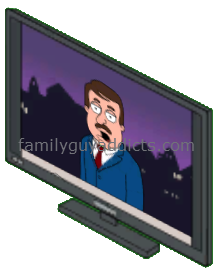
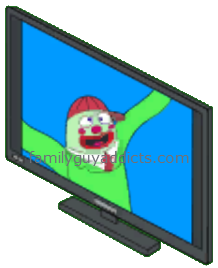
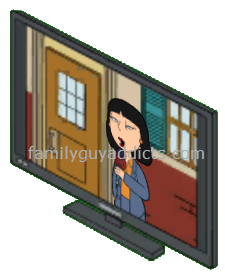
There is also a Clam Icon bouncing over the top of it. This will appear right next to the Sidewalk closest to the Griffin’s House.

Tapping on the TV with the Bouncing Clam Icon Above will bring up Mort telling you about watching ads for Clams. Tapping on the Blue +1 Clam “WATCH NOW!” option will pop up the ad.
You can then wait until it completes (a timer will countdown in the lower left corner). It is kind of small, so just keep an eye out for it to finish. Then hit the Back Button on your device AFTER the timer is done to go back to the game or wait til you see the X option in the top corner to exit back to the game. 
It will then take you back to Mort. If you see the Blue +1 Clam “AWESOME!” still, you can go again.

You can keep tapping and watching until it tells you there are no more or the TV disappears. When you are all done, you will see the Clam(s) pop out into your game, collect, and add to your totals. 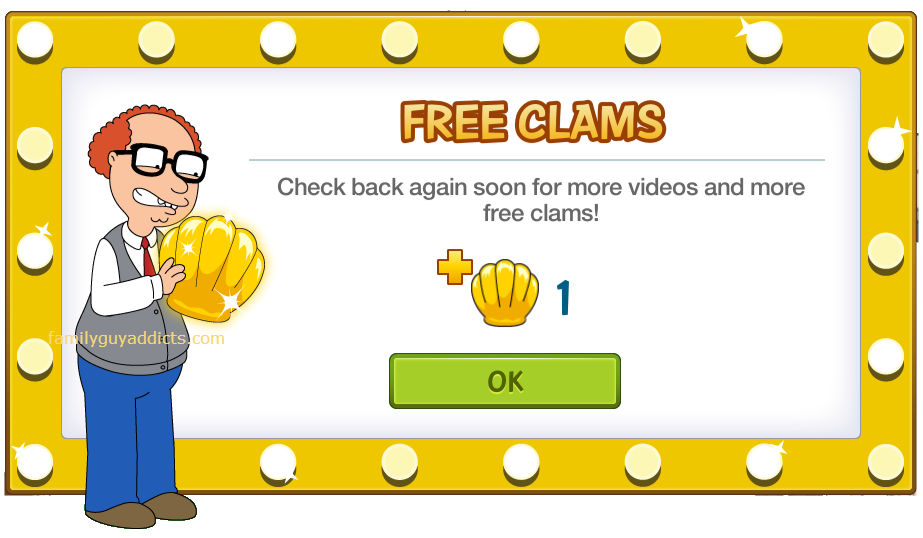
Again as this is in Testing, please report your findings to TinyCo so they can keep track of any issues. If all goes well, we may all see Carl or the TV set come back into the game for every Player. Until then, only few will experience this.
Any further questions or concerns on this one, direct them to TinyCo.
FACEBOOK FAMILY GUY BETA

Note from TinyMatt @TinyCo
https://familyguyaddicts.com/2015/08/13/ask-tinyco-peterpalooza-qa/comment-page-1/#comment-180719
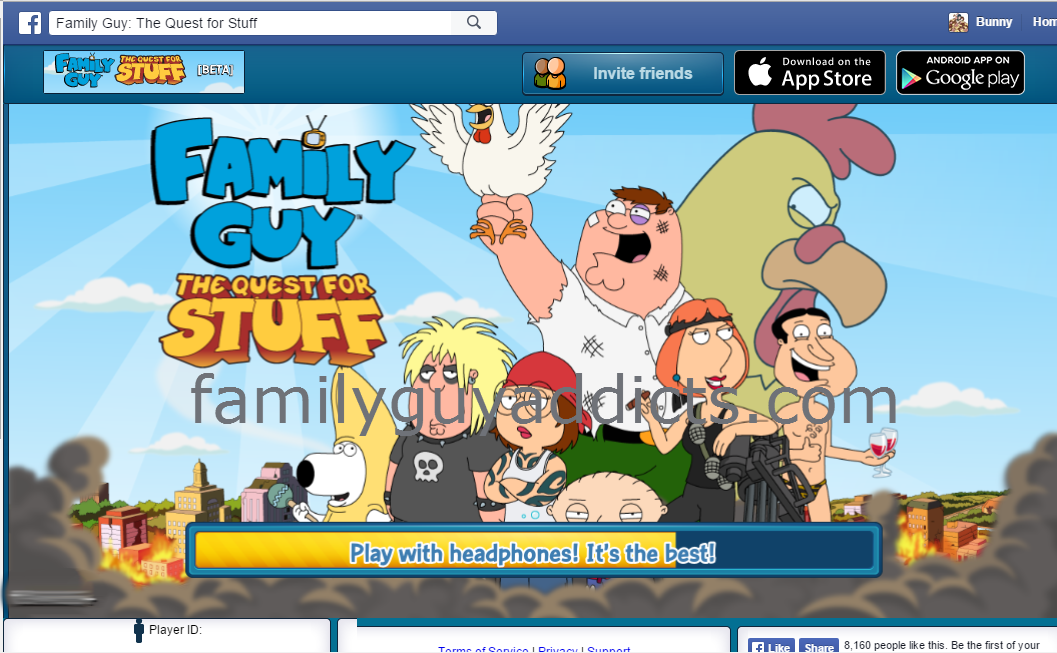
As some of you already know, the Family Guy Game is trying to allow us the option to play right from our Facebook App Pages. Again, this is in BETA testing. That means that not everyone can access it, and even those that can… you may not even be able to tap anything or play at all.
Once this feature goes live for all Players, we will post more details and information on it. In the meantime, if your game is already linked to Facebook and you are on that account… you may be able to see into your game in the BETA process. Just be careful, it’s not ready for full use yet. Right now most will just see jumbled up/overlapping icons and not able to tap anything at all.
WINDOWS VS MOBILE APP
We have a more in another post on this one, but I will cover it in short here too.
Windows does have a STAND ALONE Version of the Family Guy Game. It is nothing like the Mobile App though. It is limited to just Districts 1-8 and will not have access to Events. It also has no way to currently save game progress. As far as any future additions to the Stand Alone Version, there is talks of possibilities but nothing concrete yet.
All we can suggest at this time is if you are on Windows and want to keep going or have more access, reach out to TinyCo and let them know. Email help@tinyco.com.
The full Windows details can be found HERE.
There you have it. Some clarifications on reoccurring questions we are seeing in the comments. Hope this helps you to understand them better now.
~Bunny






 Family Guy Addicts
i don’t know why but Clam TV on iOS won’t let me watch ads for the 1 clam it just let me look at the offers (which i’m not interested in) .. yesterday it was fine and it gave me my daily clams !! on Android it’s fine though .. i just got them there ….
LikeLike
Working fine on IOS for me, both yesterday, not seen it yet today though. Will report back later if it’s ok
LikeLike
I found the same thing, for the first time, yesterday. However, I decided to test the “install an app and play the tutorial” option, which others have said did not work, out of curiosity. I installed Townships, and played for 1/2 hour or so, then went back to TQFS. The 13 clams they offered did not show up immediately, but I did receive them this morning! Maybe they finally fixed the glitch. Since I still don’t have the “1 clam per video” option, I may try this again, but am still wary.
LikeLike
i didn’t get Clam TV last night .. hopefully they’re fixing it …
LikeLike
I’ve not saw it in my game either
LikeLiked by 1 person
I want the clam TV 😦
LikeLike
I’m jealous ofall you guys I don’t get clam TV 😦
LikeLike
Is Clam TV always 6 clams/day or up to 6 clams/day? I ask because I’ve had it for about a week now and consistently gotten 6 a day but today only got 3.
LikeLike
Nevermind. When I came back to the game some hours later the TV reappeared and got the 3 other clams.
LikeLike
Mine is/was “up to” 7 per day. Usually got a few offers per day, of 3 or 4 each, and occasionally just 1 at a time.
LikeLike
I have the Clam TV and the Facebook app, so I must have been a good boy somewhere.
The TV only pops up for me about once a day, and I usually get 6 clams from it. Well worth the couple of minutes. It’s not always game app ads.
The Facebook app is alright once it fully loads the game ( I have all districts unlocked and pretty full, so it loads slow.) There’s a few niggly things wrong with the different interface setup, and sounds don’t play very often when you click on characters. Many that speak on my phone don’t speak at all. I do like just mousing over drops and coins to pick them up after tasks are done instead of clicking individual items. A few more tweaks and it will work great.
LikeLike
Didn’t know that the TV clam thingy was in beta testing phase. Makes a little bit of sense now. I get it in my game 8 out of the 10 times I open up my game. It worked great for me two months ago. However, for the last month, I’ve been getting most of my ads from some company called Vungle and after watching their 30 second videos, I never get any clams. Sometimes, I replay the ads before tapping the X and still get no clams. It just sticks to the game with Mort on the screen and a TV swinging from side to side. Here’s a screenshot. https://flic.kr/p/w8T8qS
LikeLike
I forgot to add that I play the game on my iPad.
LikeLike
Report it to TinyCo from your game. Sounds like a possible connection issue. Sometimes force closing out the game and/or restarting your device can fix that.
LikeLike
Warning for those using the Free Clams TV. I missed the “X” a few weeks back and ended up with adware getting put on my phone. Luckily I backup so resetting my phone didn’t cause too much damage…
LikeLiked by 1 person
I see the ads since long back and helped me in earning clams, so absolutely no complaints about that however one small suggestion: almost all the ads I see are for the slot machine games and I am not a gambler so these ads won’t make it for me. Instead, if they can pull which games/apps I already have and show me apps or games which are relevant to me based on my app download history, there are more chances that I will end up going for that app. But again, this is just a suggestion, and I am really happy to earn free clams. 🙂
LikeLike
That is something you have to let TinyCo know, not us. 😉
LikeLike
Yea, you are right! This site is so awesome that sometimes I forget that this is not TinyCo website. Kudos to you ladies.
LikeLike
Lol. It’s OK. We like to be able to help. 😉
LikeLike
I don’t gamble either, but I like those slot machine/casino videos – they’re mesmerizing! Fun to watch.
LikeLike
i’ve had that tv icon for quite a while now, i’ve reported several issues about it directly to TC (specially abouts ads not ending or not awarding clams, even if they did). i’ve also tried the beta version for facebook (specially since the lockout for android users) and it also needs tons of work too, but i’ve been able to play and advance in the game on it (i recommend to wait until all -i mean ALL- of the buildings and stuff are loaded; then u can play without worries (i also recommend doing so in full screen mode).
have a good weekend!!
LikeLike
I have both the TV (works great 6 clams a day) and the ability to play on Facebook. I primarily play on FB since there are zero crashes on my laptop as apposed to the consistent crashing of the android version. Only drawback of the FB version….no TV, you have to play in android to get your free clams.
LikeLike
I see we just got a mini event that ties in with the new district that brings back Some old content.
The only part I can’t find is the gray ghosts
LikeLike
LikeLike
I played the windows version on my laptop and once I realized I couldn’t link it to my current game I deleted it. I just saw a popup about earning slutty meg and witch Connie but I have them both already I wonder if something else will be offered. Also what is supernatural summer? Peter just triggered it and I came here to get the scoop but don’t see anything about it.
LikeLike
LikeLike
I’ve been playing on the Fbook Beta Version for a while now and I can say that it really helps a lot! It is absolutely awesome when yo have to find roaming creatures… also it gives a better view on your whole town. For me it also has been an alternative when I can’t stand the crashings on my phone. It is a little slow, and of course there are some issues to get fixed, but I can say that once it gets a full release, it is going to be such a huge help.
LikeLike
Facebook Beta? LOL…I and a friend of mine still can’t get the game to recognize that we want to be friends via the only channel they offer…facebook.
LikeLiked by 1 person
You tried completely deleting each other. Restarting devices. The adding back? Or next step. Unlink and relink game to facebook with your saved account?
LikeLike
I wasn’t aware that the clam TV was in a testing state. I guess I’ve been very fortunate in that case! The TV seems to appear more days than not, and sometimes I can get as many as 6 clams from watching as many 15-30 second ads. Which is great so long as I’m not using up too much data that month (or am on wifi when it comes up). It’s a truly wonderful freemium model, as everyone wins. People can get premium currency at a decent rate without paying, and tiny co gets ad revenue.
LikeLiked by 1 person
just ordered a MS/Win8.1 Nokia Lumia 435 (for free) so it will be interesting to see what TinyCo can do on this small mobile platform. MS has just opened Bridge (Project Islandwood) to open source so we can expect a lot of iOS games moving across to this small Windows platform. I hate the fact FG is not optimised for iOS correctly, its 680Mb with a clean nuke. Hopefully they will learn to make optimised versions for all platforms.
In the meantime, I will use my iPhone, but I wish they make iPad & iPhone separate; I can dream to see a MacOS version.
LikeLike
Thanks for taking the time to refresh everyone, ladies. Anyone wanna throw a guess as to how long it will be before our poor girls get asked at least one of these recurring questions yet again?
I say 3-5 hours. Sorry, ladies! Keep up the great work.
LikeLiked by 1 person
I love my Clam TV. I get 6 clams a day with it, not counting an extra clam from Ollie Land. I have two towns and used to get Clam TV on both, but now only one gets it.
As for the Windows version, it’s a great practice game, but I would NOT spend any money on it. It’s pretty much a demo. I’ve played it through all the available districts, after that, there’s nothing. If you want to play FGTQFS on a windows PC, I’d suggest using Bluestacks. It works great.
LikeLike
I have seen several people on a FB page either saying they have the video to watch or they don’t. As always I come here for answers as I know you Ladies are always up on what is happening in Our Addicting Game! Thank you again for all the information that you are able to get out to us!
Happy Friday!
Have an Awesome Weekend!
P.S. any idea when this next event will start?
LikeLike
Nope.
LikeLike