
Hey there Holiday Humma’s!
Bouncing back again really quick to go over some things I am seeing in the comments over and over. Take a peak below and see if these issues apply to you.

First up, the Basics…again… of items you need for the Christmas Event in the games right now…
- You need to be playing on an iOS, Android, or Amazon Device via Mobile App. (There is also the direct Facebook Game App.) The Windows Stand Alone App does NOT play like the Mobile App. It is only a basic game and NO EVENTS. Districts 1-8 ONLY.
- You need to be on Version 1.15.0 in your App Market. If you are not, you will not see any of the Event at all. Kindle users, do a manual search for the Family Guy Game in the Market to locate the App and Update it. Don’t use the game to find it.
- You need to be to at LEAST District 3 game play and have Al Harrington’s unlocked in your game.
I want to post this again as this question still comes up. This game takes a LOT out of your device. I am not joking at all… A LOT. That means in order to play this game in a smooth manner…
- You will need at least 2-3GB of available space in your device for the game to have “wiggle room”
- You will need a solid internet connection (I would suggest WiFi as it is usually more stable and no Data usage)
- NO OTHER APPS RUNNING- if you have multiple apps running on your device they will fight for the connection and RAM. This is not good. It will cause the game to crash, a lot. So close and kill all apps before launching this one.
- Non crowded Quahog. Too many items in your game will cause too much RAM usage on your device and create a disaster of lagging, glitching, and crashing over and over and over. Store things away. Especially animated and moving things. Don’t overcrowd your town and the game will run a bit more smoothly.
- Try some of the additional steps suggested in the link under “Crashing and Lagging” above.
All that being said, I do know some specific iOS users are stating crashing outside the normal things with this Update. Already reported it to TinyCo and awaiting an update. Feel free to message them from your game too if you are experiencing this and the items above do not apply to you. Also make sure you are running iOS 7 or Higher.
TIMEBLIMPBOX2 GLITCH
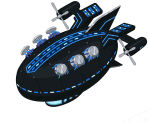
The Consuela Error popping up “ERROR there was a problem loading this save game; some placeables are out of bounds. (Error: GAME_UNPLACED_PLACEABLES), ([timeBlimpBox2 : timeBlimpBox2])” is known to TinyCo and they are currently still working on it. No further updates yet, but will note when I see any.
It seems this hit many Players as this Event launched while they were trying to Unlock or just Unlocked Olivia.
SANTA’S MISSING

For some Players, Santa seems to be disappearing down some chimney when you hit Part 7 of the Main Questline dialog. The fix for this is basically force closing the app and restarting your device. Then when you return to the game and to North Pole… he is back wandering around.
I have already requested his image be added back to the Main FaceSpace Area for easier location of him. They are working on it already. In the Meantime, Jesus is currently the only FaceSpace Character still linked to him, so you can use Jesus’ profile to go to Santa’s then locate him if you have Jesus.
Also, you will NOT be able to use him for Humma Battles if he is on a task. Just like you can’t send a Character on two tasks at the same time. (You also can’t start a Battle without 2 Unleaded Egg Nogs at least.) Tapping on Santa’s pic in the Humma Battles with 2 Unleaded Egg Nogs available, and while he is free and walking around, will check him off and place him as a driver.
LYLE TIMER CONFUSION

There seems to be some confusion on the Timers for Lyle so I wanted to point this out really Quick. There are TWO timers in play.
A Task Timer: This is on the Baser Instinct Questline (Part 5). The only reason the timer is there is due to some Players will not want or be able to achieve that “Hard” Prize in HQ, so the Task just sitting in the Task Bar for Eternity will be annoying. TinyCo has done the same thing they have in the past, put a timer on the Task so it won’t sit around in there forever. This has NOTHING to do with time to get Lyle. It is ONLY on the Baser Instinct Part 5 Task.
Santa’s HQ Timer: This is the Timer in HQ directly linked to Lyle that YOU will trigger by getting the Fort Prize before Lyle AND then tapping on the HQ again to start the Timer. This is the ONLY way to start the timer. Tapping on or going into HQ in anyway at all (whether tap or task takes you there), once inside his timer starts AFTER getting the prize before him.
HUMMA BATTLES
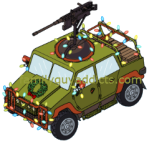
The Battles WILL get harder as you Level Up the Humma. I noted this in the Main Post and wanted to place it here too. When you Level Up the Humma you will see that less damage is made, the Buildings Skin Color Changes, and less Buildings are destroyed. So if you want to take out 3 at a time, wait to Level Up until you can run at least a few raids on it first.
UPDATE 12/10:
Testing this further. They’ve corrected the Mechanics of the Battles. You should always get something regardless in a battle. Even those lost completely. If not, message them.
It’s fine to Upgrade the Humma, just watch out for the actual BUILDINGS to Update too (color will change). Trying to see a pattern when they do change, but it looks like once they Update and change color they’re much harder to destroy, so to combat this… level up the Humma to have a better “fighting” chance against the higher level Buildings. More Characters will help too.
So go ahead and upgrade the Humma, just know you may hit a patch of difficulty when the building changes again.
CHILD PLAYER CONFIG ???
I have seen comments on this “Issue” but to date no one has supplied either myself or TinyCo with a Screenshot or report of this issue from their games, so I am not sure how much help can be given. If YOU have this error while using the Present Exchange, send in a report to TinyCo and get a Screenshot of the Error message to me ASAP with your Player ID info. Email it to familyguyaddicts@gmail.com
Can’t fix something that no one reports. 😉
There you have it, some additional “help” as we progress through the Event. I will keep an eye out for any others I see.
~Bunny






 Family Guy Addicts
Having an issue with the game crashing whenever I try to unlock snake plisskin
LikeLike
What basics have you tried?
LikeLike
On Christmas Eve, my game stopped loading and would only show the initial game screen. I contacted tiny co and they got it resolved a couple days later.
On another note, how in the world are people getting 10,000 to 15,000 snow medals (see leaderboard)?!?
LikeLike
I’m not aware of it being discussed so far, though I may have missed it, but I was wondering if anyone else has been having this problem.
I got behind with the Christmas Event due in part to the “battles” glitches where a character could be pulled out during a battle resulting in my not earning anything from the battle. That being said, I’m still working on some of the Christmas Event tasks, but I’m also concentrating on regular game play tasks in Quahog. This new glitch that I’m experiencing is similar to the original “battles” glitch, but almost in reverse.
For example, I’m trying to complete “Freaks and Geeks Pt. 6” and for that I need to complete the task “Stewie Wants to Hypnotize the Audience” which takes 1 day to complete. So, twice now I have put Stewie on this task; the second time I think he was only about 2 hours from completing it. But, in the meantime, while Stewie was involved in this Quahog-based task, I sent Kevin to attack the 3rd base in the Nutcracker Truck. During the screen where one selects drivers, only Kevin was listed as available (as one would expect) since Stewie was busy with a task and I have not yet unlocked Snake Plissken). I should also add that I do not own the Nutcracker Stewie profile.
Anyway, at some point during the attack on the 3rd base, I clicked to check the progress (time left) and to my amazement saw Stewie listed as a 2nd driver along with Kevin, despite the fact that Stewie was not chosen as a driver originally nor was he even available to do so. Also, Stewie was pulled away from the Quahog task in which he was engaged. This has resulted in nearly two days of time wasted, since the hypnotize the audience task takes 1 day to complete
The same effect has happened with Peter. I sent him on the “Have Peter Overeat” to complete “He’s Bla-ack… Again Pt. 4”. I then went to attack the 1st base using the Humma. Again, only Santa was listed as an available driver since I do not have Lyle and Peter was busy with a task. So, I send Santa by himself to make the attack. I decided not to mess with anything like checking anything at the North Pole until Peter was finished with his task, so I closed the game. When I reloaded the game, Peter had been removed from his overeating task (all his progress lost) and placed in the Humma as a second driver with Santa while it attacked the first base.
LikeLike
LikeLike
Missing Peter and Santa! Can’t do any of the Christmas quests without them!
LikeLike
Well Bunny, what fun just before Christmas…..
I have the “adding points to locked character” glitch. It happened the very first time after I placed the tent / building for snake.
I had two successful attacks on the fake tree farm, but now I can not finish it. Kevin was the only driver. Snake does not appear by his building anymore.
I am also concerned about my hover craft. Earlier to showed I had Peter and normal Stewie driving it. I have not purchased nutcracker Stewie. Now it shows that The lady is driving it… Yes strange because I can not find Peter now. Lol
I do not see anything else missing. I have done a full restart of the game with a power down, and it did not help. I can not find any joint tasks with Kevin.
Well that is it for now.
Hope you enjoy the holidays and do not work too hard on this.
Hate to say this but I have not spent any real money since the tuba issues and I am really happy I did not put rel money into this event. Then I would be reall mad. Lol
Merry Christmas to all,and to all a good night!
LikeLike
I still can’t get my game to load. I’ve even deleted the app and re installed. It shows the main loading bar and then when the bar gets full the game closes.
LikeLike
LikeLike
My hovercraft and hanger disappeared after defeating the toy base. Has this happened to anyone? I couldn’t find it anywhere! Dropped a message to TC and awaiting reply. Now I’m stuck since I cannot get more presents and not yet at the next phase vehicle.
LikeLike
LikeLike
Thanks bunny. Bummer that it happened during the 48 hr challenge. 😦
LikeLike