
UPDATE 1230 AM EST: Try to uninstall and resinstall to see if issue is resolved and let us know. Before you do, make sure you were linked to a FB or an email account. If not, you will lose your game. I am trying this now myself. Those of you that did not link your accounts may have to wait for the gamewide fix to hit. They know no one likes having to uninstall.
FYI…the new content is gone for now. No info on its re-release, but I think we all can agree to have them wait to avoid this again. 🙂
If you games still seems a lil…OFF…try a force close or restart of your device to see if that helps to refresh it as well.
UPDATE 11PM EST: Some of the new content is hitting, however…many of us are seeing this instead…
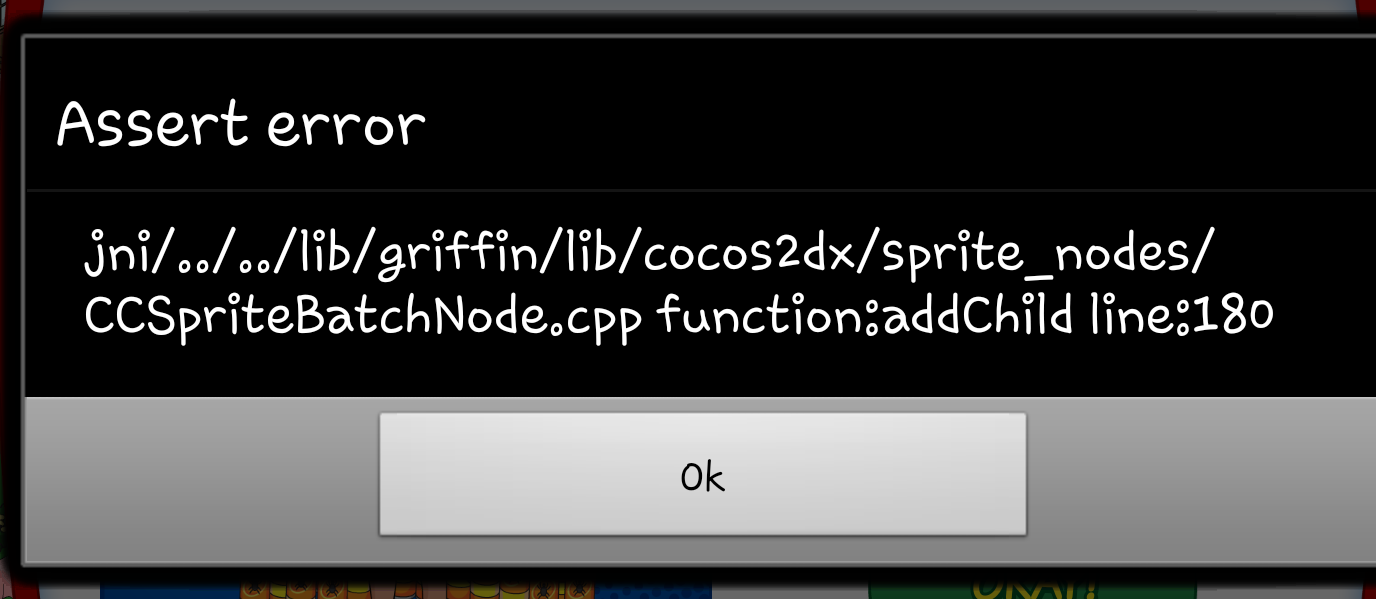
I am in the process of looking into it as we speak. Everyone else just sit tight in the meantime, they are WELL aware of it and doing what they can as fast as they can.
Here were are another Friday, so you know what that means…another update in our crazy lil Quahog Comic Con Event. So what surprises did this one bring? More details will be coming as we verify them live ….
Version 1.1.2
So far the updates hitting are resolving the issue of the cars not being able to rotate properly. As for the remaining content…we do not yet see it live in the games. That is not to say it won’t hit all of the sudden (this is actually early for an update than usual times. Lol.)
Stay tuned and as soon as we see more info, we will update it into this post. 😉
~Bunny






 Family Guy Addicts
if i have facebook friends in my game does that mean its backed up and i can try uninstalling/reinstalling.
LikeLike
Yes it does. The only way you have FB friends is with a linked game. Go for the reinstall. Use this guide if needed.
LikeLike
thanks that worked
LikeLike
Excellent! 🙂
LikeLike
I don’t know if because I’m not connected to Wi-Fi if that’s part of the problem why when I reinstall it’s only going to version 1.0.14 instead of the most recent version when I get somewhere I can connect to Wi-Fi tomorrow I’ll try deleting and reinstalling again and see if you gets me the latest version and I can get past load screen
LikeLike
Good luck, my friend. Hoping you’re back into your game soon! 🙂
LikeLike
How come every time I go to zap big Stewie, the game freezes, and when I force close and do it again, the same thing happens!! It’s really frustrating
LikeLike
The game has some real big problems that started tonight. If you are linked to an account (email or Facebook) you can try the uninstall/reinstall step to see if it cleans your game up.
LikeLike
Im sorry but they have overpriced the pesticide mystery box. 95 clams for a chance to win 3/8/12 cans. Why would you buy this when you can speed peters 2 hour task for 4 clams. That means over 20x for the same price so a garentee of 20 cans of spray just not colour fixed. I like that the box is added but the price is wrong for payout. For that price it should be 12/18/24 or half the price as the max prize should be higher the sped up task. I play for free and have NEVER spent a penny of real money ingame so why would i want to waste my hard erned clams. When is joe costume coming as i play on android so if we get 4 weeks of him erning blam that will make up the week we lost to ios
LikeLike
No idea on the Joe Outfit. I agree about the Pesticide Mystery Boxes. Too expensive and a lot of cheaper ways to get pesticides. I think their logic is, “Hey, we charged 120 clams for the Jelly-Yo Sarcophagus’ and everyone bitched, let’s lower it to 95 clams”. I like that they offer these types of things, but sadly there execution grossly misses the mark. I suggest everyone make their own mind up about buying a shot at a few “spray cans”, but personally, no way will I invest in a single one. 😉
LikeLike
The problem I have is because I delete it from my phone iMessage pops up about losing your position in the game Center leaderboard and ice tell her to keep it because it still does delete the game off of my phone and allow me to download it from the cloud but it’s not downloading the most recent version
LikeLike
Sorry to hear that Matthew. When I delete from my iPad I say “yes” to removing it from the leaderboard. It will just reload all your stats once the game is back. Not sure why the uninstall/reinstall is not working (although I heard it doesn’t always work for all). It worked on my iPad 4, but I’m connected to a very fast wi-fi connection. I’m hoping they will have something later today (if not sooner). They are working on it as we speak. Just check back here later this morning to see what’s new.
LikeLike
Good morning clammers! Just woke up(europe) and see all the chaos you guys experienced. Glad I slept trhough it 😉 Feel sorry for y’all
My game is running fine since I didn’t update, should I wait a bit or is it safe to hit the appstore and update it now? Don’t want to miss out on anything exept stressful reinstalling. Thanx for the great work you guys do!
LikeLike
You big lucky…you live in Europe AND you missed the update nightmare. DO NOT DOWNLOAD THE UPDATE….not yet anyway, until TinyCo confirms with us all the bugs have been “ZAPPED”. 😉
LikeLike
Thanks for the reply. I’ll wait with updating untill you guys give the: All clear! The second car challenge hasn’t started for me yet since i’m still on Enfant Terrible pt 2. Any idea when I should continue that questline? Don’t want to wait too long and miss it… Stocking up on pesticides at the moment 🙂
LikeLike
I’d wait about 2 or 3 more days, tops. Then you’ll have plenty of time (and pesticides) to get it before the third car challenge begins next Thursday/Friday. 😉
LikeLike
so i still have the infinite peter glitch… no event past im a writer pt 3 and perls of wisdom. seriously, this has been going on 24+ hrs now.
what do. and dont tell me to contact tiny co(please) i have sent them 10+ in detail messages now. and still nothing, they sent one reply after my first msg and then nothing. im on iOS btw.
LikeLike
Don’t worry….I won’t tell you to contact them, again. 😉 They know all about these problems and it is proving to be harder to find the coding error than they thought. They uploaded an update tonight that had some patch fixes attached plus new content, but it crashed almost every game out there (only safe games were players that didn’t download the update). I know it sucks when things don’t work the way we want them too. Hang in there, there are so many moving parts to this event, they my have bit off more than they can chew. Hopefully something tomorrow comes to our games. Once your Peter Loop Glitch is gone…send a follow up in-game message and see about some restitution. 🙂
LikeLike
Thanks for that news update, i really appreciate it, glad to know im not the only one experiencing issues, i saw all these comments pertaining to the king butt styled giant stewie event and got a lil jelly :$
Much thanks, Jon
LikeLike
Our pleasure. 😉
LikeLike
ALSO, because you ,mentioned the new game update that crashes games im gonna download it on a seperate device as to see what forgoes
LikeLike
the last update i have available is from aug eighth, so if they rolled it out on the ninth(today) i do not have access to it
LikeLike
The one on the 8th is the glitchy one. Wait until we get confirmation it has been debugged.
LikeLike
okay, so i have glitchy one already without knowing it XD oh man, my luck, oh well, hopefully by monday this will all be fixed properly
LikeLike
so i have an unexpected update after downloaded tqfs onto my iphone for work. and the questline appeared for enfant terrible pt one finally. not two! but one! i have giant stewie now!!! awesome sauce
LikeLike
YAY!
LikeLike
Hope so too! 😉
LikeLike
Love that idea….tell us what you find. 🙂
LikeLike
so im back in the game, the real game with phaseIII in all its glory, got felicia days flagpole(giggity) repairing and collecting pesticides now for giant stewie, finally!
LikeLike
Great Jon! That’s super news. 🙂
LikeLike
Un/reinstall worked. The game would freeze and crash my Galaxy S3, sometimes with a pop-up about Rupert’s pesticide mystery box. BTW, am I supposed to have the askjeeves store? I haven’t even seen the wrong version of it in my game.
LikeLike
Had you bought it? It has been pulled from the “cart” due to problems.
LikeLike
No, I never saw it at all. I just wasn’t sure if it was supposed too be available or not. I like the design of it and didn’t want to miss out. We’ll need it soon, though, for plot reasons, yeah?
LikeLike
Maybe it will be needed, but it hasn’t yet. I was lucky and got it before they yanked it. You’re right about the design, it really looks cool in my “Fabulous 4 Headquarters” layout.
LikeLike
That’s a really nice little layout there. Might have to steal it.
LikeLike
I did the uninstall and reinstall and it made things worse. While the game had froze I was still able to see my city. I was a level 40 with 160 clams, 33,000 blam. I have patrick stewart, ron perlman and bryan cranston all unlocked. Now I am a level 1 with NOTHING!!!!!! I have about 15 friends in the game whom I visit daily. My Facebook account is linked to this. If I did everything the way I was supposed to why do I have nothing? One of my friends just went to my city and it looks normal but I open the game and I am stuck at the start…. Please help. I have no idea what to do. I love this quirky little game but I don’t know how enthused I would be to start all over. Help tiny co!
LikeLike
Just go to the menu in this level 1 game and enter your FB info. 🙂
LikeLike
I did that. When I do olie pops up and says there is already a level 40 account (tina) associated with this Facebook account. If you continue this log in you will overwrite it. Any advice?????
LikeLike
It is a little misleading. It’s just saying your old level 40 game will overwrite the new game. Select “approve”. Your old game is saved on the main server and is safe and sound. That’s why we tell everyone to make an account link to their games. Go for it and then tell me how it went. 😉
LikeLike
I did a re-install, and the game works now, for a second it look like Stewie battle counter wasn’t working, but I saw it still needed 7 items so I read earlier that all you have to do is force close the game and re-open it, so I did and the counter was back to 8x again.
I just hope the fix patch doesn’t do this again.
To save time I hit skip right away and it skipped the opening movie too.
I also noticed that you don’t have to finish the Training routine for the option to access setting and wait for Chris.to ask if you want to connect to Facebook, the option was there right from the beginning now.
LikeLike
Glad to hear you’re back into your game. I noticed that too when I reinstalled tonight. It’s pretty quick now. No more playing for minutes to get to the menu. 🙂
LikeLike
Update keeps restarting my phone. I’m afraid to uninstall the game cause I’m not sure if I ever created an account. I can’t access my menu to create an account. What do you suggest? Should I just wait until the error is fixed or is there any other suggestions? I’m playing on Samsung Galaxy 4 android. Please help I’m level 40 and would hate to lose everything especially since I have put money into this game
LikeLike
If unsure, DO NOT UNINSTALL. Question, do you have a FB account? Also, if you do have a FB account, did you ever visit the towns of other players in the game?
LikeLike
So I will have lost all the collections from the past 7 hours??? I am screwed with the car and my streak for giant Stewie. I emailed TinyCo. Still no response. I log in all the time and collect when things come around (2hrs, etc). And I bought BC, and have lost at 3 drops from him already. So not happy. I don’t have time at work to do much more than step away to log in and collect and reset tasks. And I couldn’t do it all night. :(. 😦
LikeLike
Sorry to hear this. 😦 Most of us have been locked out too. I tried the uninstall/reinstall and am now back in by game. The good news, it’s better to be at the lower levels (in the Giant Stewie) to get the car, 1x and 3x, I’m letting my timer run down to zero so this will happen for me (less pesticides needed).
LikeLike
I clearly missed all the fun as I haven’t had any problems with my game (touch wood)
LikeLike
Lucky! 😉
LikeLike
Reinstall worked for me. After collecting everything I closed out the game and it reopened again just fine. So far so good hope it lasts until the patch.
Phone using – Galaxy Note 3
LikeLike
Excellent…it worked for me as well on my iPad 4.
LikeLike
Thanks for the help to you and Bunny. You guys are awesomeness!!
LikeLike
Oh..Golly Shucks….now I’m all blushy and stuff. Lol 😉
LikeLike
Clearly the Illuminati are on the loose. No sooner do you do an article about the basic need to create a game account in case you ever need to reload after a reinstall than THIS happens.
LikeLike
Dim the lights….*Cue appropriately haunting music*…let the meeting come to order. 😉
LikeLike
Assert error work around. If you have access to a PC or tablet download Bluestacks. Download the Bluestacks offline installer not the online. This program is still in beta and has some issues. Install offline. Once up and running search for Family Guy The Quest.. Download and install. Log in. You may get a glitch if using facebook to log in. If so go out. Go to Settings, should be in the top row. This will open another screen. Go to manage applications. Delete facebook log in. This will make you have to sign in manually but will let you play. After that just click the error box about a zillion times. After that you’ll be able to play as normal.
LikeLike
Try this at your own risk….sorry..we have to say that. 😉
LikeLike
Bluestacks is a paid software now. Also it’s a emulator, not native. which will always will lag. Lastly, if people are having issues. Many of them issues will arise in bluestacks. Also if using its for Mac also.
Overall bluestacks will bring most people more frustration than they already have. Your better off screaming at TinyCo in emails, phone messages and social media…
I still don’t fully understand why on earth the game crashes for some, but others runs perfectly. Seems the same exact device for one person crashes and yet others it doesn’t. I would like to see a poll that asks… Does your game crash.. Do you use fb or email to sign in.. Fb sign ins, in other games has been known to mess things up.
LikeLike
No it’s still free. Yes it’s an emulator, no it won’t always lag. Runs fine on my comp. Playing now. Not sure why you would choose to make up info. Nothing you said is true. Why would you speak on something you know nothing about? People on the interwebs lol.
LikeLike
Now now kids. Play nice in the sandbox. Don’t make me put you in the corner in time out. Lol 😉
I have tried bluestacks, sadly too many issues for me…so it removed it. Was cool to link it to a giant screen n play. 😉
LikeLike
*** Emulators will always have lagging. So people here understand bluestacks, it takes an APk file. Makes it work through non native ways. Which is where the lag will happen.. Emulators are great for older games. But newer high memory intensive games will cause you a lag. Also a lot of players who try and use bluestacks are usually players who use a modded APk file… So yes sir I know a great deal about bluestacks. Also, as a lead tech I’m very familiar with all sorts of computers and the programs people like to use.
LikeLike
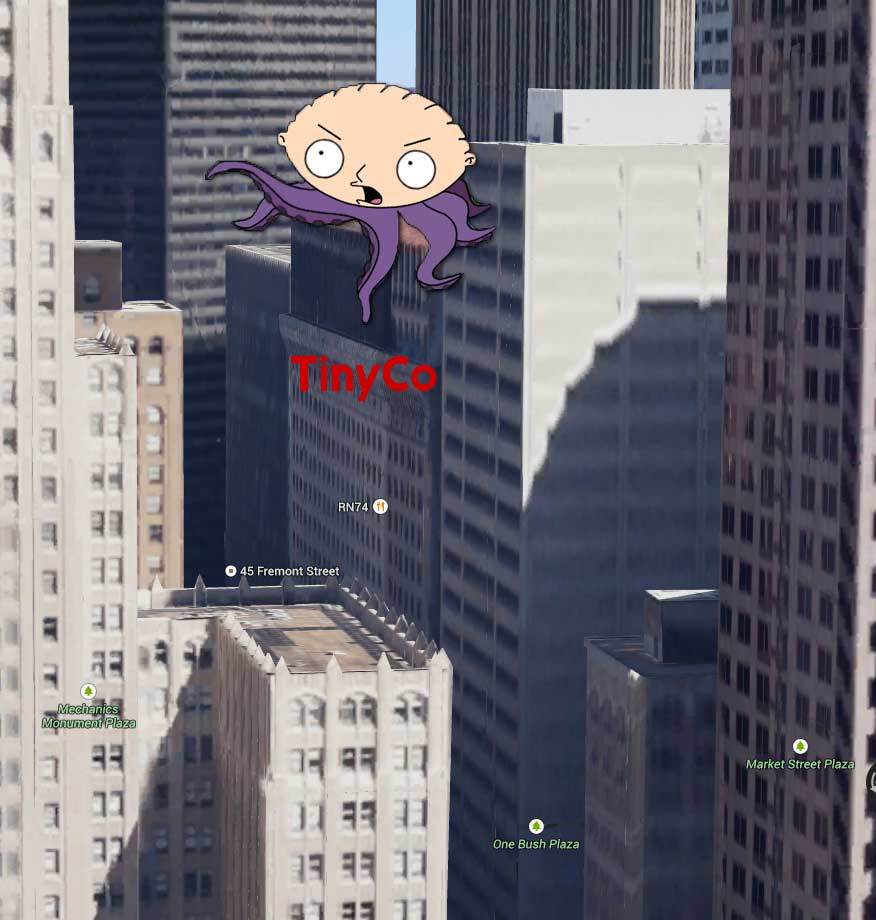
The real reason the latest update isn’t working:
LikeLiked by 1 person
BWHAHAHAHAHAHA….Shhhhh you’ll scare the children! XD
LikeLike
What happened in the quest for stuff land? Seems like most peoples game went crazzzyyy
LikeLike
Oh nothing much…lol just a normal Friday night in TinyCo Junction. 😉
LikeLiked by 1 person
Haha.. What is on the menu for the on fly tonight?
LikeLike
Major “update” glitch that sent 1000s to their panic rooms. Giant Stewie is rumored on the loose. 🙂
LikeLike
Haha dang Jimmy really did it this time…. Quahog won’t be the same now… Expecting Chicken vs Peter fight part 2 at any moment and we all go to level 1 again hahaha….
LikeLike
At this point….sweet, little easy level 1 would be a welcomed change. Awwww…the good old days. Lol 😉
LikeLike
Could you imagine if they did that… I think people would go crazy and poor Jimmy would have to go into protective custody haha
LikeLike
Lol 🙂
LikeLike
Guess Jimmy was drinking some Jelly bean wine and hit the self destruct button haha
LikeLike
“JIMMMMMY!” 😉
LikeLike
except there is not any blonde girls hanging out at the water tower!!! ok just showed my age!!!
LikeLike
Lol…Somewhere…Uncle Joe is laughing at that joke. 😉
LikeLike
Hey guys, If your TQFS still doesn’t operate after reinstalling and all of that, try installing Blue Stacks onto your computers and try using TQFS in there. I’m using it right now and after a re-sign in to my account, it started to work perfectly 🙂
LikeLike
Does Bluestacks work well? I remember trying to use it for TSTO back during a whacking day event and it was just too slow. I figured TQFS would be just as bad
LikeLike
It works well for some, poorly for others, and correct me if I’m wrong, but the iOS version still only works through the GamePop module. Try at your own risk. 🙂
LikeLike
I was using it for Android. There didn’t seem very many emulators out there aside from it, and it wouldn’t work. At least TQFS is currently working again…
LikeLike
Yup…time for nerd payback! 😉
LikeLike
I reinstall the game and now its working !! Im on my ipad mini!!!
LikeLike
I uninstalled it reinstalled it, connected it to my FB account and was able to continue playing on my iphone5. Everyone was just waiting to give me all my goodies I needed to collect lol the only weird thing is the expansions I haven’t bought have no trees anymore and the zap bar even when full shows a small bar but the zap still works. Hope they fix this soon.
LikeLike
I know the trees were fading earlier… I think they made that change to help with room needed for Giant Stewie to function right.
The Zapper….keep an eye on it. Try a force close/restart if needed.
LikeLike
I did thanks, the zap bar is back to normal all is right in my world again lol
LikeLike
Wooohoo!
LikeLike
Reinstall did not work for me.
LikeLike
😦 What device may I ask?
Hang tight, still a roll out patch coming.
LikeLike
Samsung Galaxy
LikeLike
Hang in there Chris my friend, they are working on a solution. (That’s what Artimus M. would say) 😉
LikeLike
Spending my downtime watching Sir Patrick in TNG on Netflix… I’m good LOL
LikeLike
Now that is a good way to kill some time. Check your game, some are saying it’s coming back for them.
LikeLike
Nope, not yet… back to TNG
LikeLike
LikeLike
So I don’t know why but I have now collected 14/10 hams for Blobulous. How can I collect the other objects from Giant Stewie if I don’t stop collecting hams?
LikeLike
Lol…oh those hams. Please let TinyCo know. Few other readers stating same issue.
LikeLike
If I have the game on a iPhone and log in my face book if I reinstall it will I lose every thing I am on level 38
LikeLike
All your game data is linked to that FB or email account (if you set it up). So it is just a matter of logging back into that email or FB account once you reinstall it. Sometimes it is instant…sometimes a few extra taps (see link in my post to recovering an account.) I go through it all the time hopping account to account, device to device. Uninstall several times and each time…back up and running just fine.
LikeLike
But will I lose everything I have gotten so far in the game
LikeLike
Not if you have your account linked to an email or FB account. That will save all your game data.
Account set up info is here if you need.
Recovery of account is linked in the post. 😉
LikeLike
But what happends if my game says something about crash can I un istallaed it and reinstall it back
LikeLike
Yes, TinyCo gave the all clear to use this method. Just as long as you linked it to an email or Facebook account. Use this guide if you need it.
LikeLike
Using a third party program (the one I like to use to backup my games), I cleared the cache and I’m back in the game! First thing I did was link my game to facebook so I think I’ll be good!
LikeLike
Game was working fine and my giant Stewie was ready and I need to do it because the timer for my car has already started. Dropped ham each time, awesome right? Except I only needed one, I now have 12/10 hams, do you know if someone else needs or another glitch. Thanks!
LikeLike
Lol. Well…I AM hungry now. Can I have one? 😉
Let TinyCo know please. A few others are reporting it. It is like since you havent unlocked the skin, the game still thinks you need them so collects them until…well…you collect him. Lol.
LikeLike
Reinstall worked on my GS4. Oh and you guys rock with all the info around here!
LikeLike
Fantastic. What I like to hear. 😉
We are always happy to help out.
LikeLike
Bunny do you ever sleep? Lol
LikeLike
What is this strange word “sleep” of which you speak? 😉
LikeLike
It’s that thing us mortal are suppose to do 😉
LikeLike
Oh well…I am no mortal. 😛
LikeLike
I was starting to think that was the case. 🙂
LikeLike
You mortals are just so…normal…it is a strange thing to be. I REFUSE to be normal. There’s no fun in it. 😉
LikeLike
While I may be mortal, there is no way that I am anywhere near normal! 😛
LikeLike
Working on my iphone 5s after reinstalling and working on my ipad after updating the app.
Thank you Bunny 😉
LikeLike
Great news. You are more than welcome. 😉
LikeLike
Reinstall worked for me. On an iphone 4.
LikeLike
Thanks for letting us know. 😉
LikeLike
I tried and it still didn’t work. Damn global warming
LikeLike
Still won’t work on my kindle or android after re installing. Guess I just have to wait. Well thx for the help anyway guys. Ya’ll rock
LikeLike
Awwww now THAT is just not fair. Our amazing poet needs his game back. 😦
LikeLike
As long as my muse has hers then all is well.
LikeLike
😉
LikeLike
You bring out the flirt in me so bad. Are you using voodoo? You don’t have a pair of my socks buried in your back yard with a picture and some chicken blood do you?
LikeLike
*(shhhhhh….you have no idea…..)*
LikeLike
lol things are beginning to make sense now
LikeLike
woohoo back on but it’s my kindle. Hopefully my phone will be next. Thanks for keeping me busy guys
LikeLike
Looks like the switches are being flipped back at headquarters. Get back to the fun…check your timers. 😉
LikeLike
sweet. Looks like you won. Good job on taking out Sober Bug. Is the 4,000 blam special for buying clams still on?
LikeLike
Only if it’s task icon is still visible on the task list pop up.
LikeLike
cool. thanks
LikeLike
I’m able to tap OK or the back arrow repeatedly to get past the error and play without too much difficulty. Annoying but not too terrible.
LikeLike
Did you try the uninstall? Or are you not linked?
LikeLike
It’s not so inconvenient that I want to uninstall and log back in instead of sleeping to be honest, just putting my griffins to work for the night. Seems to be tied to the Brian Cranston pop up that loads initially but that may just be a coincidence. Me go sleepy now. Android Motorola droid maxx.
LikeLike
Lol…Addicts sleep? When? 😉
LikeLike
Well we have to be able to dream about Bunnies sometime don’t we?
LikeLike
Lol. I spose so. 😉
LikeLike
I uninstall and reinstalled in my apple iPhone and it worked
LikeLike
WOOHOO!! 😉
LikeLike
I have uninstalled and then reinstalled. I played until I could hit the account info, logged into facebook but I get a message reading ‘this account already has a game associated to it, logging in would wipe your progress on this one. My only option then is to cancel the login or replace the saved (lvl 40) game? Ideas??
LikeLike
theres no button/option to complete login or used save game
LikeLike
Look closely at the wording. (the link in post will help as a pic is in it). Does it say it will replace your Level 1 with the correct account?
LikeLike
it actually doesn’t state “replace with saved account” it just says replace account… does that mean it will replace the lvl 1? I didn’t go further for fear of wiping my lvl 40, lol
LikeLike
Compare the info you see to the pic in the post…it SHOULD say it is replacing the Level 1 (the one you just played) with you actual email/FB linked account. Just that word “replace” throws people off. They are working on rewording it.
LikeLike
Bunny, thank you! You and this site are a godsend, if I could I would plant a giant kiss on yer cheek, lol. Game is back, progress was saved and I’m back in trying to take down Giant Stewie. Hooray!!
LikeLike
Awwwwww ***blush*** More than happy to help out anytime. 😉
LikeLike
had send them an email earlier but didn’t get a reply. followed your instructions to uninstall and reinstall and it works now. strange that when I did that earlier it was still giving me the error.
what do you think they will do to compensate for their screw up? will they extend the giant stewie time limit? will they extend the overall time duration for comic con? will they give free clams? or free blam!?
LikeLike
As they are still working on a gamewide patch, I do not know the next step.
LikeLike
Mac users. Check your trash. If it auto updated the old version is there. #1. in IOS disable auto updates! I do not think I have to tell you why.
In iTunes locate the FG app and right click on it and choose reveal in finder. Once you do that move it to the trash. Next drag the 1.1.1 file to the same location you deleted the first file from. Next launch iTunes. If you see a FG app delete it. Next go to the 1.1.1 file and double click on it. This will load it in iTunes. Next sync iTunes. You may have to check the add app in the menu. The previous game will load. If you deleted you will just follow the instructions for a new game posted on this site and you are good to go. I hope I explained it ok. Feel free to correct but my game is up and running with the old version. Again, DISABLE AUTO UPDATES!!!
LikeLike
The new update is working now on my devices…just the new stuff removed due to glitch. So 1.1.2 is running fine for me now on both iOS and android. Uninstall/Reinstall fixed it.
(FYI uncheck Auto updates is always wise 😉 )
LikeLike
Removed and reinstalling the games doesn’t solve it. You can play the intro no problem but once you load your saved game. It just crashes again
LikeLike
Hmmmm…what device? May I ask?
LikeLike
I don’t think my last post went thru lol anyway I’m on an iPhone 4S and I uninstalled and reinstalled and the game loaded but I can’t get back into my old account thru Facebook it keeps wanting to reset me to level 1 and I’m at 31
LikeLike
Look closely at the wording. Match it up to the pic in the link I posted for recovering an account. The wording may be throwing you off. It SHOULD say it is replacing the Level 1 account with your current one. Let us know. 😉
LikeLike
I uninstall the game and reinstall and if works fine now thank for all the update I read all your post but this is the frist time I have post thanks for all you help
LikeLike
Well I am glad we were able to help you out. More than happy to. 😉
And you are welcome to browse around our site anytime. 🙂
LikeLike
I uninstalled and reinstalled and still same error 😦
LikeLike
What device may I ask are you on?
I know they are working on gamewide update fix too.
LikeLike
Im on android just reinstalled again for second time now it’s working so far
LikeLike
WOOHOO!! I like that. 😉
LikeLike
Thanks bunny, restarting worked.
LikeLike
WOOHOO!! 😉
LikeLike
i play the game on my phone but i’m not comfortable with uninstalling it so i installed it on my tablet. unfortunately the game will not open past the loading screen 😦 so i guess i will have to wait
LikeLike
Hang in there. They will have a fix gamewide rolling out too, I just do not know when.
LikeLike
iPhone 5s here. Uninstall/reinstall then logged back into my game and it’s working again.
LikeLike
FANTASTIC!! That’s what I want to hear. 😉
LikeLike
So i Uninstaller and reinstalled it. Signed in with my google. It took my right to the start. I’m a little p@ssed off now. I sent an email. Hope it gets resolved.
LikeLike
Please follow my steps in the post to retrieve a linked account reset to Level 1. It does happen, but only takes a few moments to recover it. 😉
LikeLike
Delete and reinstall did not work on iPad.
LikeLike
Thank you for letting me know. Hang in there for gamewide update.
LikeLike
This fix just allowed us to go back to the previous version. They still apparently don’t have the bugs out of the new update.
LikeLike
Mine is new version 1.1.2, but the new stuff is gone. (Most likely the cause.)
LikeLike
I feel kinda bad for everyone else because I haven’t experienced a single problem yet
LikeLike
Same here. Like I said in a post below, the only thing I was missing was the pesticide mystery boxes. They appeared about 4 hours ago, then disappeared an hour or so ago… Of course right after I bought clams! Doh! Lol. On a plus note, still have Bryan Cranston, my remaining clams, and the Felica item buildings.
LikeLike
hi this pesky question again ok i have 17 hours on streak i also have 18 orange 8 red 14 green and 1day 23 hrs left on car how should i do this i must be dense and also my blam does not seem to be going up that fast (i already zapped king squid twice)
LikeLike
How many more times do you need to defeat Giant Stewie? If you let it reset, you have to just do the lower two levels which usually require much less pesticides than the upper. But that is cutting it close if you need…say…4 or 5 defeats.
LikeLike
i need 3 more times right now i have 3 hours till run out time
LikeLike
Uninstalled and reinstalled and it works. Signed back in using my Facebook account and it has taken me back to level 40, at least 2 levels behind what I was on. I know levels don’t seem to mean much in this game but it’s still annoyed me a little. Surely having an account whether it be email or Facebooks means that it should keep the whole game up to date. Everything else is there and where it should be, all my money and blam! is correct, as are my character levels (as far as I’m aware) but it just seems to be my overall level that’s been effected 😦
LikeLike
Hmmmm odd. Please alert them to issue. Let us know.
LikeLike
Uninstalled. Can’t reinstall. Family Guy app is not currently showing as available on the app store.
LikeLike
Never mind. The download option is there now. Reinstall resolved the problem. Thanks.
LikeLike
That is odd. What market?
LikeLike
I saw the 12:30AM update, but I wanted to point out that uninstalling and reinstalling the game was something I already tried and ruled out as a fix at 11:10PM already.
Now, I don’t work for TinyCo, but based on the error message and the fact that it seems to be affecting both Android and Apple, I would assume that the issue has something to do with some missing graphic data. When the game can’t load the graphic, it’s crashing.
I should point out that after re-installing, I still got the error message, but because I was in a “newly” reset game at first, I was able to click on “OK” and dismiss the error message. After dismissing about 10-12 of them, the game started to play. But once I connected to my account and loaded my save game, the game started to crash again.
LikeLike
I tried too…HOWEVER…the uninstall/reinstall did not work til JUST when I posted the update. ONLY then did it work. (Standard TS we do all the time.)
It works now. New stuff pulled (prob cause of issue) and game back to normal and running on 1.1.2 version.
LikeLike