
Hello There Clammers!
Back with more full dialogue walkthroughs! This time we’re covering ALL aspects of New Year’s 2015. So here’s your chance to see what you might have missed if you didn’t purchase New Year’s Brian or if you missed out on any of the quests because the event ended before you could finish. So let’s get into it shall we?

Note: We’re trying another new method for posting the images with this one. Let us know your thoughts (and if you could see them clearly) in the comments below. We’ll still be making tweaks until we find the right method…
Click on the first image to start the slideshow
Auld Lang Syne




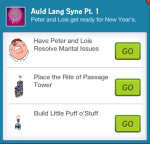









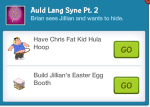

















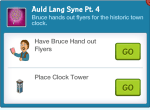




























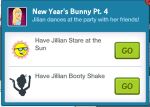
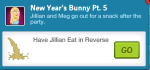
New Year’s Bunny





































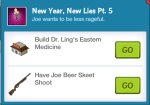
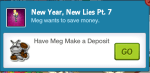
New Year, New Lies


















































Tardy to the Party


































Love Changes Everything























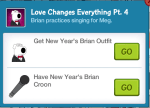
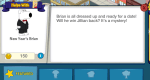















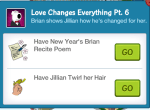





Together as One









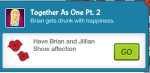


And that’s it for the New Year’s Questlines!
What do you think of the dialogue? Thoughts on how it ended? Any parts you missed while playing? What do you think of this way of doing screenshots? Sound off in the comments below, you know we love hearing from you!






 Family Guy Addicts
Any thoughts on why the Rite of Passage tower is STILL prompting me to collect glasses/horns/hats/etc long after I dropped the balls and got Jillian’s apt? I had thought it would convert to a “normal” building, but it still acts like an event hub when tapped. Is there a reason to collect enough to make the balls drop again?
LikeLike
Ummmm… all I can say is keep dropping the balls if it is not taking away from other tasks in the game. It will be beneficial. 😉
LikeLike
ohh, so that’s why this post wasn’t loading up as fast the first time i clicked to read more…now it only takes a few seconds almost a minute to load up.i’m on an Android LG G2.
LikeLike
I can’t buy Jillian’s apartment anymore and I’m not sure if it’s been removed along with the New Year’s content
LikeLike
Do you have the Rite of Passage? If so, you can still earn it.
LikeLike
I like this method way better the last time I couldn’t see pics. This way is much better and on my tablet I can still scroll through. Nice!
LikeLike
Liking it! Super easy to read on my iPad. Thanks!
LikeLike
Hi I am not sure where to post this, but do you know when there is a film thing on some of the activities for the characters?
LikeLike
LikeLike
Thanks for revising your pic posting strategy, however this method doesn’t really work for me. I’m on iphone and the navigation is sluggish and the pics seem to be centred off screen, and moving them tend to close them or move to the next pic. they basically end up as u readable as the pet quest pics, just for different reasons.
Keep at it, you’ll figure something out!
LikeLike
nvrmnd…
I was holding my phone landscape and when I checked holding it upright it seems to work ok. ut they are still really small and when I try to on increase the size it seems there is a white border around the pics that gets enlarged too, pushing the dialouge to the bottom. Its a bit tricky to make it big enough to read and keep it on the screen but I’ll manage!
LikeLike
We’ve got another method to try out next time… 🙂
LikeLike
Much better on my S3. The images were much clearer and easier to read. Thank you for all you do for us ladies.
LikeLike
I can read these much better than the other method. And moving thru them at my own pace is nice too.
That’s a lot of work you gals did there. You spoil us. 🙂
LikeLike
I have an iPhone and cannot read these at all….plus I feellike it kind of takes away from what you do here. If you’re going to do this, then why should I even play the game? Without this there is still a bit of mystery about what is going to happen, and now it just kind of takes away from me playing the game. This is my personal opinion
LikeLike
We only started posting the dialogue because of popular reader request. Sometimes players miss something in the dialogue from tapping too quickly. It’s not something we’d do during an event, only once it’s over. (which is why New Year’s is posted now) But I appreciate your input and thank you for sharing! 🙂
As far as you not being able to read them….did you click on the first image? Once you click on an image it should become larger (and fill your phone screen) and you can swipe through the dialogue.
LikeLike
Very clear on my s5, could read but a little fuzzy on my cheap android tablet, like being able to tap thru at my own pace, could move both ways on the tablet but only forward on the s5, I like this better than the last slideshow. Thanks for all you do.
LikeLike
I could read it much better on my iPhone. Though I’m not sure if it’s quite “the one” method that’s best yet.
LikeLike
I’ve got 1 more method to test that might end up being the way we go. But glad these were easy to see! 🙂
LikeLike