
Hey there Clammers!
So as many of you may or may not be aware, the Family Guy Game has come to Windows. It is a little different than the Mobile version, so I wanted to give a quick run down in the differences players on their desktops/PC’s/Windows Devices may notice.

New players are now downloading the Windows Version of this silly lil game we have been enjoying and getting into the mix of things with the rest of us. Due to this Version is more used for Desktops/Laptops, there are some differences I wanted to point out as it is a Stand Alone Version of the game.
CUSTOMER SUPPORT
Access to contacting TinyCo through this version is a little bit more limited then from the mobile version in the ways you can contact them. No worries, they actually have a specific team set up JUST for Windows issues to ensure players get the necessary assistance they need. So if you are in need of help/support for Windows and all Basic Troubleshooting has been tried (feel free to look around and ask here for help) then please reach out to TinyCo Windows Team via email at help.windows@tinyco.com
Give them time to get back to you. (Standard turn around is 3 business days for most companies.)
SAVING GAME PROGRESS
Currently, there is NOT an option for Windows Version to access accounts. This means saving game progress will not be the same, but more so… you will NOT be able to load up the Mobile Version of the game (if you have been playing on a device) to your Desktop/Laptop. The game basically gets stored on your device memory (similar to documents on other things, NOT on the Cloud). Just don’t go restarting your device in the middle of the game. That WILL cause you to lose progress.
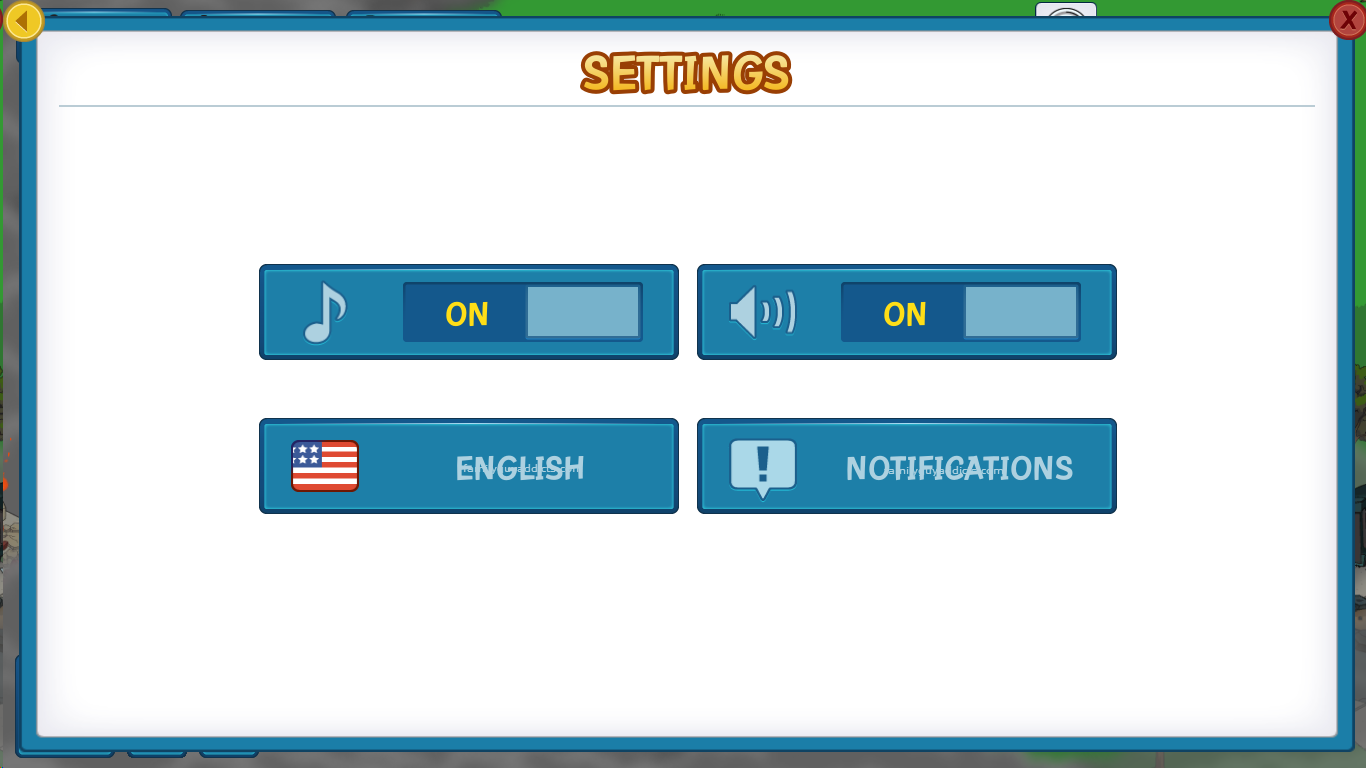
You will ONLY see two options when you play in the Menu (once past the initial dialog and to point Chris is helping hold the TV antennae). Settings and Inventory. Nothing more at this time.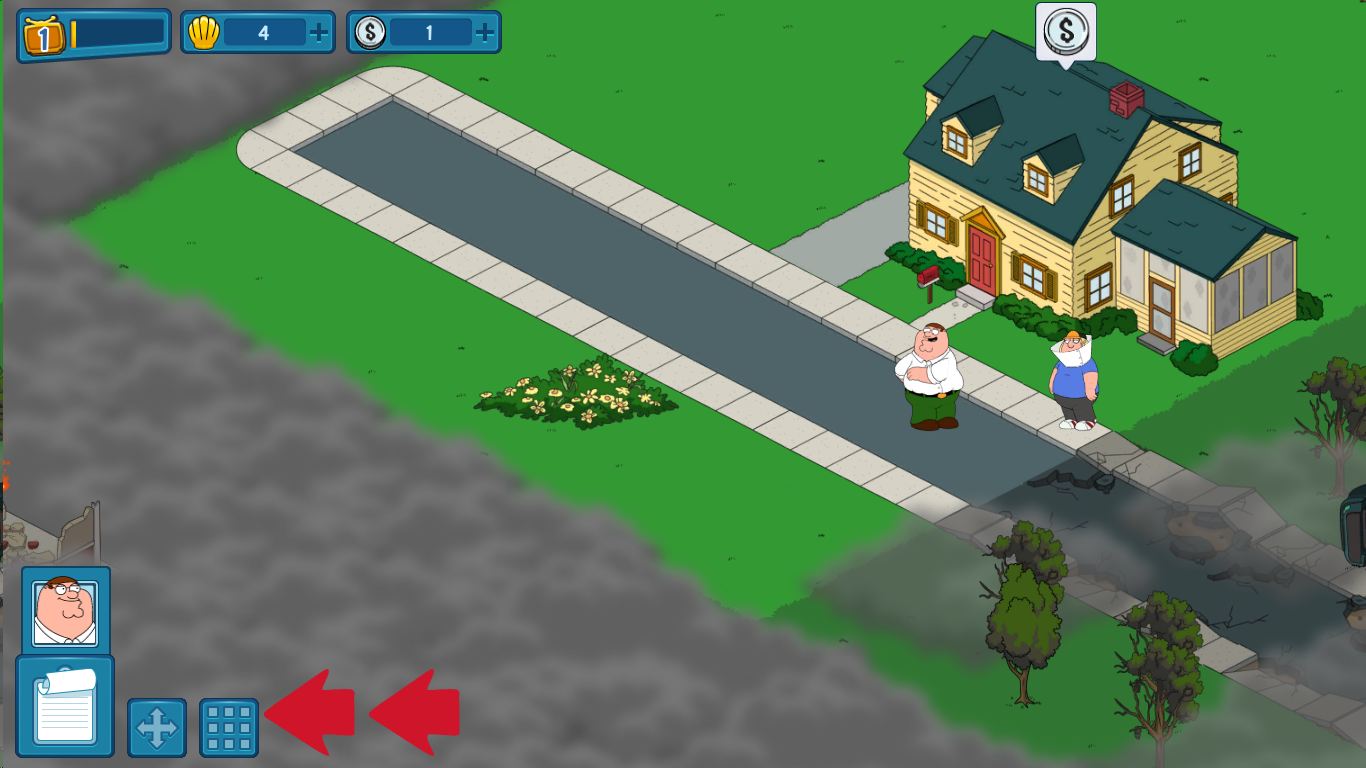

ADDING FRIENDS
As stated above, there is no option right now of syncing this game to Facebook. So that means currently no options to add friends either.
DOWNLOADING THE GAME
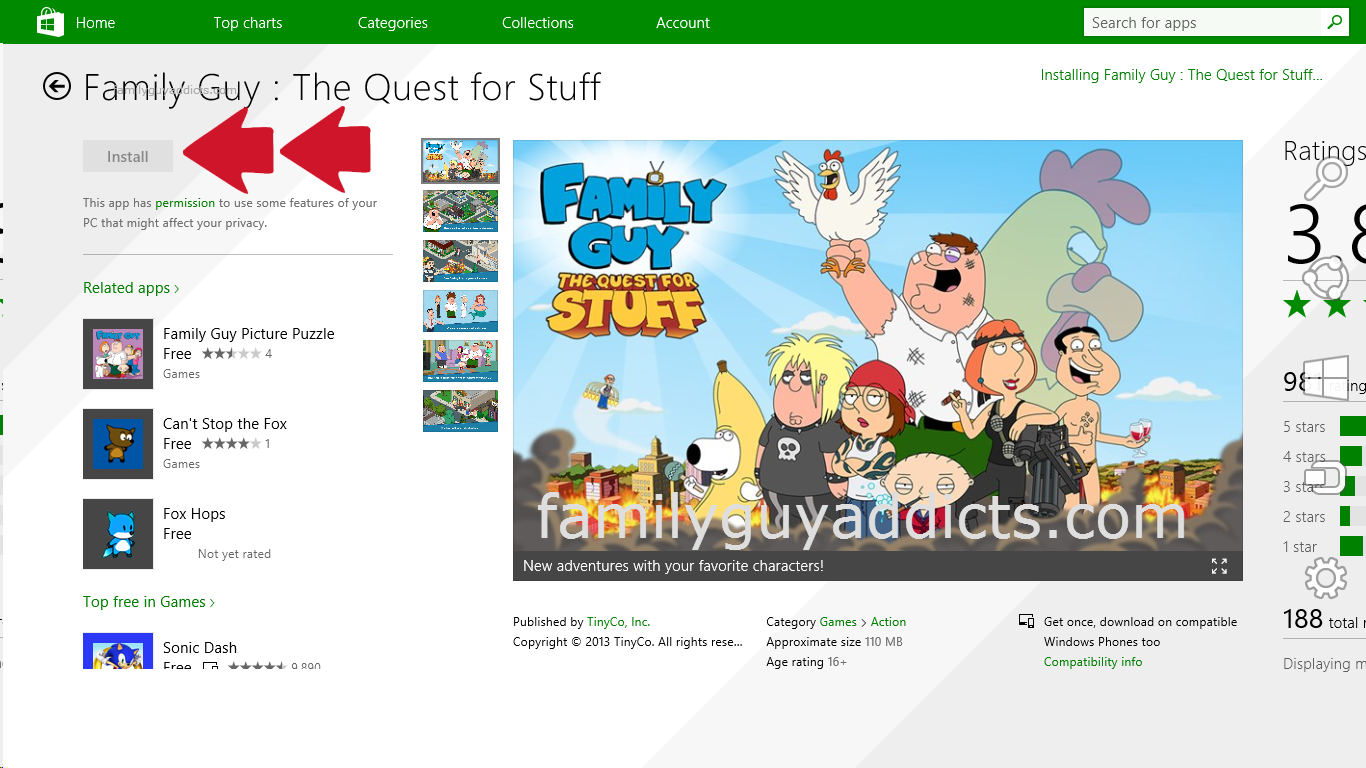
On my Windows 8 enabled Laptop, this was very simple. I just went to my App screen, located the game in the Windows App Market, Installed it, and then launched it. I was up and playing right away. Graphics and sound work and look great.
There you have it. The basics of game play on Windows. For the rest of the items, feel free to poke around our site here for lots of tips and tricks on the Family Guy: The Quest For Stuff Game. If you need further help, feel free to ask us. We are more than happy to help all we can or direct you to where you can find the information.
Are you playing on Windows? Any thoughts on it so far? Like the option? Let us know.
~Bunny






 Family Guy Addicts
I’m playing on the Microsoft surface why is there no peterpalooza for me when my friend has it on his tablet
LikeLike
If you are playing on windows you won’t see the Mobile App content, like this post explains. It is a Stand Alone version and not linked to the Mobile App at all. Sorry.
LikeLike
can you get to District 9 on windows app
LikeLike
Notifying you of prior comment
LikeLike
?
LikeLike
Does this mean when playing on the Window device Ollie land is not an option?
LikeLike
Ollie Land is unique. He is still there. That is part of the game Mechanics. You just won’t see any other Friends or Neighbors and can’t play outside the game with them as it is a Stand Alone.
LikeLike
*****
LikeLike
Please take a few minutes and go over our Addicts Guidelines for our site. Thanks. 😉
LikeLike
Updated to WIndows 10 from Window 8.1. Been playing game on 81 with no problems. After 10 came in i can no longer collect the coins or click on any of the family guy members .
LikeLike
Report it to TinyCo.
LikeLike
is there any way to link the pc windows version to the android version?? I dont want to start all over!!!! I can’t find a link to facebook option on the windows version of this game….very frustrating.
LikeLike
No not currently.
LikeLike
With the conversion to Windows 10 complete, I’m now having new issues with this game (NOTE: this is the PC stand-alone version, not the one phone users use that has the events). Basically the display size is now messed up so I’m only seeing the middle 80% or so of the game. Because of this, I am having to click just to the left of things to claim them and I cannot get to the shopping logo at all. In addition, the costume shop now does not load up at all. As as result, completed costumes cannot be activated. If anyone is having similar issues, let Tinyco know. Instructions on how to that are on top of this page, I believe. Thanks.
LikeLike
Same here: The only issues I have is trying to play the FG:Q4S on Windows 10 as the Game is Not Aligned right and gives an awful View and clicks of Stuff but it was fine w/ the Windows 8.1. Hopefully EA Fixes that if they are gonna keep the Windows Version going plus Now that I noticed you can play on FB now.
LikeLike
FYI…. Facebook is NOT live. It is still in BETA, so many can’t use it yet.
LikeLike
I can’t even get it to load on Windows 10. It loads, gets to the door knock sound and then crashes.
LikeLiked by 1 person
Yeah Plus it’s only a Corner and not Full Screen as IDK what is up w. that or did Tiny Co just Quit w/ Win 10 or what plus glad you can play your game on FB at lest you know your game you saved thru your Droid or Apple iOS device now.
LikeLike
Lack of response most likely. Could be a technical thing too. It was more a BETA test for the Stand Alone. If there is still a lot of response for wanting more, they may look into it further. Reach out to them and see what response you get.
LikeLike
I had exactly the same problem after loads of messing about and trying to get it to play I stupidly uninstalled the game and re insalled it. Did not realise nothing would be saves and I lost everything I am so gutted right now and it still does not run properly on windows 10.
LikeLike
I download for pc today it loads but wont let me do anythink like click on carctes and doset show the store button or anythink help
LikeLike
Did you load it to a Windows Device? Or the Facebook BETA version?
LikeLike
Cool! I found the Windows page! Here we go…
I woke up yesterday (Thursday) morning and discovered that my Windows 8.1 (PC) FGTQFS game would not load. It goes about 10-15% across the bar, stops, then closes. I waited a couple of hours to see if it would start working, and when it did not, I started looking for ways to report it to Tinyco. It’s now Friday night, I’ve sent a total of two emails and two tweets as well as trying to report it two times through my mobile game (which thankfully does work). The functionality to send messages from their website does not work.
Are there other Window users that are having the same issue? Is there anything else I can do? Thanks.
LikeLike
Just for completeness….only resolution was to uninstall/reinstall. Thankfully I was able to get a refund for some clams I bought to get Cleveland. I now have Cleveland on my mobile game instead. 🙂
Short version: This version isn’t worth playing…..instead play the mobile version. If you’re on a PC, download an app player (they’re out there — use your favorite search engine to find them) then get the mobile version of FGTQFS instead.
LikeLike
Game wont open for Windows 8 Surface can anyone help?
LikeLike
Sorry, all I can suggest is basic computer troubleshooting for downloads to your device otherwise you will have to email the Help Desk to the email listed here. It is a Stand Alone App that functions separately from the Mobile Apps
LikeLike
If they could program 80 percent of the game they can do the rest. Bring District 9 to Windows version in another update and give the game a reasonable end.
LikeLike
I’m wating the update… Tiny co. you deserve your name “tiny”. How can you launch an incomplete game without notifying people of that? I bet a lot of people spend real money on it and can finish the game
LikeLike
On topic: “We are looking into adding this feature in a future update. While it’s not confirmed yet” ¬¬
http://tinyco.helpshift.com/a/family-guy/?s=family-guy-the-quest-for-stuff-on-windows&f=windows-district-9-and-above
Off topic: “The Windows version of “Family Guy: The Quest for Stuff” is a standalone version which does not contact TinyCo’s game servers.”
http://tinyco.helpshift.com/a/family-guy/?s=family-guy-the-quest-for-stuff-on-windows&f=windows-no-account-social-features
False. When I try to playing without internet I CAN’T play.
LikeLike
Casey Richards over at Facebook said, in a reply, “They already stated they’ve pretty much abandoned the Windows version and have no future plans for it, but I guess there’s always a chance they could change their minds someday.” I had to correct the spelling and grammar due to the keys she forgot to type.
LikeLike
Or… you could just read what Matt @ TinyCo said about it right here. 😉
LikeLike
I can’t play it on my pc, please fix
LikeLike
Email them help.windows@tinyco.com
LikeLike
I really wish I had read the part about getting stuck at district 9 before, ***** sucks to spend time on a game and not being able to finish it.
I can truly advise people to stop playing while they can, it already leads to nothing and now you can’t even finish that. ridiculous.
LikeLike
They are still working on Stand Alone. It is NOTHING like the Mobile version… as it is a Stand Alone. If you want the full scale, I suggest Mobile. Otherwise patience as they work on additions for the alternate version of the game. 😉
LikeLike
I am at Fr&Geeks part 5 (finishing the last district for WP8… i mean District 8) and appeard some new stuff to get (Baby Powder, Dulcet Tones) but the costume for Stewie doesnt show up anywhere, in Al Harr.. Outfits i have 16/16 costumes. Jerome is still doing a 1d quest so i dont know if he have Pink Champagne and for Carter i didnt see the Champagne, usualy the quest with an item apears first…
LikeLike
It is a glitch for Sexy Stewie. It is not supposed to be there.
LikeLike
Hi again all, I am using on windows 8 and I have been at a standstill for over a month. I have district 9 still to unlock but I just can’t start anything to do it, nothing comes up and district 10 doesn’t even show on my game. Is anyone else having this problem? How far have you all got? Also what level are most of your characters at, mine say max for most of them now.
I love the game but frustrated I can’t progress any further.
Thanks.
LikeLike
Many are at a stand still there. It’s on its own Stand alone so not like Mobile at all. No further updates for it either right now.
LikeLike
I am running games on both android and windows. I have had no glitches on windows yet, I am on district 7, but there have been no events, either. Other than putting it out on windows, they are not giving it any love. I wish they would share some of the events, like the upcoming star trek event. It is nice to see the game played on a 32 inch screen!
LikeLike
I’m on district 3 with every block of land cleared. Peter has an exclamation bubble and says help me clear these blocks… something about cheese in his teeth. Anyway, not sure what else to do, but I think it’s the only thing keeping me from district 4. Any ideas? I’m playing it on my surface pro 2 with windows 8.1. Thanks.
LikeLike
Windows is on its own Stand alone version of the game. I have seen others state that they are getting stuck with a Character having the ! over its head and not able to move on. My suggestion at this point is if you have tried everything you can to trigger it and it is still not moving on, please reach out to the windows support team. Email help.windows@tinyco.com
LikeLike
Thanks. I emailed them at that address on Friday. Just thought I would throw this out there on different sites. Doesn’t look like TinyCo has phone support.
LikeLike
They do not. They are a small company and don’t have outsourced call centers worldwide like other gaming giant houses. They keep it all inside the Company. So the repsonses you get are coming right from them. Not phone agents. In time they may grow to that point, but for now… email and in game messaging is the best way to reach them.
LikeLike
I saw this today: http://www.windowscentral.com/family-guy-quest-stuff-may-not-be-updated-anymore-windows-and-windows-phone
LikeLike
The writer may be reading a bit more into it though. No updates can me a variety of things… like for instance this Event. They did not update the game to put this event into it until they get the game issues stable.
On the flip side, if they can’t get it to flow and function properly for Windows, it is best that they pull it altogether until they can. 😦
LikeLike
I just put it on my 7″ android tablet. Not fun starting over but I’ll have more done in 3 months (I started on windows around Christmas).
LikeLike
Hopefully they’ll be able to move forward with it.
LikeLike
Can’t enter district 9. No quests available. Nothing to do.
LikeLike
We reported it. Please do so as well. Email help.windows@tinyco.com
LikeLike
I play on my windows laptop and am 2 plutoniums away from unlocking Stewie. I don’t get all the events etc that mobile users get ie. Valentines but what concerns me most is that district 10 does not show on my game and on windows store there is no update app thing…so will I be able to get district 10 and updates or not? I have less characters listed to unlock than mobile game, think it’s a shame a PC version not as advanced as a mobile version, Please help I love this game but don’t want to get to end of district 9 and that be it 😦 Thanks
LikeLike
PC Version is new and on a completely separate Stand Alone set up. So it will vary in some ways from the mobile. If you have any questions or concerns on it, feel free to email them. As far as Districts, you should have the same as Mobile from what I see. Just wait to see what happens as you play and keep us updated.
LikeLike
Okay I will do, but as it stands currently I don’t have district 10 yet my boyfriend on his mobile version despite only just starting it has district 10 showing. I will let you know what happens. Thanks
LikeLike
I’ve completed disctrict 8 as far as I can tell but nothing is happening in regards to unlocking district 9. I have just created jailhouse meg. Also I appear to be collecting items to create sexy stewie (?) but it doesn’t show in Al’s. No idea what is going on and also district 10 still doesn’t even show on my quahog landscape.
Am I missing something? Please help. Thanks.
LikeLike
What are the names of the quests you still have open in your task menu?
LikeLike
All that I have there is offer of clams when buy coins and to buy Cleveland for like 400 clams. No open quests.
LikeLike
Waiting on word back from TinyCo on the stand alone version as it is on a separate system than the mobile version.
LikeLike
Thank you. Yes my boyfriend lot further behind then me on mobile bit right since downloaded his goes 2 District 10 and does all events etc.
LikeLike
I’m with you, Michelle. I’ve gone as far as the game will allow me thus far for almost a month without any new content. No district 10 as of now. All I’ve been doing is racking up my money. Patiently waiting for updates!!!
LikeLike
Are you on pc? I’m the same but can’t even get to start 9 let alone see 10
LikeLike
Yeah, I have the surface tablet. I was able to get district 9 at least. I noticed after awhile the game added a couple new costumes (like beautiful Peter), but offered no tasks or items to create them. Al Harrington shows that I have 17 of 17 outfits. I feel your frustration. I almost started from scratch using my phone.
LikeLike
I was considering doing the same just to have all the districts etc but I’ve worked really hard building mine up and getting coins and clams. Yes that’s the same for me it says I have all outfits in Al’s yet I’m collecting for the Stewie one. I still haven’t got to unlock district 9 – I can see it but it just not letting me start the blimp thing. What was last thing you did in D8 before unlocked 9?
LikeLike
I think the last thing I did was unlock Tom Tucker. Then the quests stopped. I kept waiting for a “!” to show up for anyone, but nothing’s shown up. The blimp is still docked and when I click on it, it says Stewie needs to find the stolen plutonium. But how?!?! Lol
LikeLike
Windows seems to stop there. I am waiting still on TinyCo for more info on the Windows version of the app.
LikeLike
I’ve not seen blimp to even click and be told that. I’ve got district 8 all completed and have jailhouse Meg and completed prison blues quest but now that’s it everything at a complete standstill! Frustrating!!
LikeLike
The update a few days ago allows you to complete all tasks on the windows and windows phone version
tiny co has been doing 2 updates per month for windows, I’m sure we will be up to par with everyone soon.
LikeLike
Anyone else at a standstill on their game? I have unlocked all 10 districts, 22 of 26 characters, and 17 of 17 outfits. I’m at level 50 and at max levels with almost all my characters. Am I missing something or are we just waiting for updates?
LikeLike
Did you get the Valentine’s event?
LikeLike
No, I didn’t. And I misspoke. I don’t have district 10 available. I completed 9 and now nothing new. Just spinning my tires over here. 😦
LikeLike
I would say to email them help.windows@tinyco.com
LikeLike
im playing on windows and am stuck on the chubby metal prt 4. Goth chris has to rock out but it says i need the kool-aid man… i dont really want to have to reboot the game and start again as i have brought packages within the game… does anyone have any suggestions?
LikeLike
It’s a glitch with the windows end of things. I suggest contacting TinyCo and letting them know what’s going on. Do it via the Windows Help email located on this post.
LikeLike
I had that issue too but it just worked with out the Kool aide man after I did a few more missions think it is a bug just keep trying the requirement for the kool aide man disappeared.
LikeLike
I’m stuck on it also. Have been for a couple weeks now. I’ve emailed TinyCo and have not received any responses. My Kool-Aid man disappeared over a month ago.
LikeLike
Kool Aid man should have never been in the game in the first place. It was a glitch. His event was long over before Windows Version started. When did you last email them using the one provided here in this post?
LikeLike
I emailed them on Feb 9th. I got an email from them yesterday asking If I was still experiencing this problem. I replied back that yes I was. And I still have not heard anything. Same thing happened with another problem I emailed them on.
LikeLike
Give them time to respond back. Remember, to them it is NOT instant. They have THOUSANDS upon THOUSANDS of emails daily to go through. Hang in there. It looks like they are responding as they can.
LikeLike
I get to a certain point in the game where i’ve unlocked the shopping district and then when i shut my computer down and boot it back up again the game no longer works. All i get is the loading screen. it loads to a certain point, then makes the knocking sound and the ca ching sound and then does nothing. Then when i close and re open it again, i get a green screen. Can someone help me figure out what’s going on?
LikeLike
Hmmmmm I would say email them. That’s a new one for me on the Windows stand alone.
LikeLike
I like the fact i can see the animations way bigger in my 24″ screen than my android phone, but it would be cool to be able to sync to our previous accounts… hopefully soon 🙂
LikeLike
I just created Goth Chris. His first quest is to “Rock out” But it says I need to buy Kool-Aid man. Kool-Aid man isn’t in the store.
LikeLike
Hmmm I know there’s a Rock Out task with Kool Aid man…But that’s for regular Chris. You need to use Goth Chris for the Rock Out task. Are you sure you’re on Goth Chris and not regular Chris?
LikeLike
Yes I’m on Goth Chris. And there is no “Rock out” Task at all. Even on regular Chris there isn’t. Also, there is no Kool-Aid man in the store. So it wouldn’t matter which Chris I’m on since I can’t access Kool-Aid man. The actual task is “Chubby Meta Pt 4” It seems that people on you “Punk Rock Chris Walkthrough” are having the same problem so I will reach out to TinyCo even though I’ve been waiting weeks for them to reply to another issue I’m having.
LikeLike
Can you send us a screenshot of your task list to Familyguyaddicts@gmail.com ?
LikeLike
Yes. As soon as he is done with his nose goblins I will send it.
LikeLike
Thanks for the tip!! I recently ran into this issue.
LikeLike
I don’t remember Golden Peter on the Mobile version?
LikeLike
iOS exclusive.
LikeLike
I’m guessing IOS is I phone? That sucks, I hate the I phone. Android is better. So what’s exclusive the the Android?
LikeLike
Rollercop Joe and Slimer were.
LikeLike
haven’t see Roller cop Joe, and Slimer was probably a special event. Ok so if I have an I tablet and Andriod phone etc would I be able to synch those two? and if so that means I can get exclusives for both depending on which one I use at the time.
LikeLike
Windows is a stand alone. It won’t sync to anything. You’ll need to play mobile to have that option.
The two I mentioned were limited time so you won’t see them now.
Right now only gold suit Peter is still around. If you launch him and start him on an iOS device, you can still play on android too. But again…on the mobile version that’s on iOS, android, and amazon
LikeLike
kind of useless until they make it possible to save/sync your progress between devices.
LikeLike
Noticed it a while back and installed it, there are some mildly crippling bugs like getting quests that can’t be cleared, no character finder like we’ve gotten used to either… what killed it for me tho is that I couldn’t switch my android account over. Used the free clams to speed through the first district until I got to unlocking Mort and realized I wasn’t gonna get the option to resync, then I uninstalled
LikeLike
Thanks for this post! I got QFS on my Windows Surface, not realising the difference between the Windows and phone versions. I’m stuck with a glitch, Joe has been unlocked but the The Lost Boys quest has disappeared, meaning I can’t complete it to unlock Pirate Cove or any further districts. I’ve emailed them but it’s only been a couple of days and am waiting for a reply. Not being able to create a log-in or connect to Facebook is a downer, I’m too afraid to uninstall and reinstall to fix the glitch in case I lose all my valuable progress!
LikeLike
the windows version is very buggy. Lois, peter, jerome, and mort all have ! over their head from quests that ive completed. So the only way i can access those toons is but clicking on al’s and hoping there is an item there that the toon is used for. For example mort has no item to farm so he has just been walking around for weeks now.
LikeLike
I know they were working on some patches for the Version. Did you email them the issues you are having so they can look into them?
LikeLike
So how can you save your progress on this version?
And will Cleveland be available to play since he was only part of that Mummy Event (I forgot the name of that even, my apologies :/)?
LikeLike
Like in the post… it saves to your system. Like in the background. Just not synced. Cleveland, just like the regular game, you will have to see if they bring him back… again… for a fourth time. He has been back 3 times now
LikeLike
Next time I’m in a WIFI I’ll install it on my Windows Phone, just found it in the store :-). Hope the game sync across plattforms will work soon, otherwise this makes no sense.
LikeLike
I got so excited when I saw this advertised on the Windows store but this is useless to me until they add the online element and I’m able to sync with my mobile game…
Hopefully that will come soon – and I trust the Addicts will be first to let me know when it is!
LikeLike
If you get the time, can you please update the earlier districts to the format you used with the later districts. The newer format has more information and is easier to follow. I want to start a new game and having this information will help me level up quicker.
LikeLike
Not sure I’m following what you’re looking for. The earlier districts are in a similar format. It’s just more combined because we had 6 districts hit our games all at 1 time, whereas now it’s 1 at a time. However, you can find all the district info via the district page…
LikeLike
The posts on the earlier districts don’t list what is needed to unlock the characters and it doesn’t list the freemium and premium objects that unlock with each district. The posts on the latter districts contain this information.
LikeLike
If I can find the time, I’ll see if I can update them. But that’s a massive undertaking and something I just don’t see having the time for unless there’s a significant lull in the game for an extended period of time.
LikeLike
It’s very sad that it’s not international version of the game, don’t have access to this app in Windows Store on Windows 8 to test it.
LikeLike
Yay, I will download this later, I hope they don’t do exclusive content for different devices, they will start acting like real videogames developers lol
LikeLike
maybe this is the precursor to them adding the ability to add friends without facebook. because lets assume this version eventually does let you cross play…..then having / getting friends would be really good with a bigger audience out there. i’m still “friendless” as i refuse to use facebook for it. lol
LikeLike
If your playing on Android, download Bluestacks on your computer. download Family Guy, sign in and pick up where you left off. Works fine on Windows 7
LikeLike
You need Windows 8 to play? That sucks
LikeLiked by 1 person
I’m actually surprised that they would release it as a standalone version with no ability to sync across platforms. Having invested almost a year and many dollars in my current game, why would I want to start from scratch just to play on a larger screen? Seems to me like they’re rolling it out ahead of an announcement that saved progress on an account can be synced–maybe to see what sort of buzz they generate? Anyway, I’ll pass until I can pickup on PC where I leave off on mobile. Enough of my life is already consumed by this one instance of the game. Two could ruin me. 😉
LikeLike
For me… I am looking at this as BETA testing. The Mobile App was limited launched in BETA to test it. This seems very similar. Like testing capabilities and interest.
LikeLike
Do you know if this version received a limited release? Can’t find it in my Windows Store here in Brazil.
LikeLike
I am not sure if it is International just yet, I will check. 🙂
LikeLike
I’ve been playing on my Windows laptop for about a month now. I am so glad it came out on Windows since it kept crashing on my Kindle. The only thing that really sucked is it was stuck in the “Endless Summer” up until today so I had quests I could not complete. I also wish the quest to unlock Cleveland would go away because I am not buying clams to unlock him.
LikeLike
It’s shameful that Cleveland is 400 clams, considering he’s an integral part of FG canon. There should definitely be a way to grind him out, even if it took weeks (or longer..!)
Consuela (at 300 clams) would be nice but is hardly essential. Cleveland, OTOH, at about £8 ‘real’ money, seems like a slap in the face…
LikeLike
Hopefully they will get it to be able to sync between both versions.
LikeLike
I know there is prob a way…but can u make please post again about how to send a pm directly after post, or is it possible to make a PM button for Admin’s aka Alissa and Bunny? I know it’s more work but perhaps available to subscriber’s only? Just an idea for the future…
LikeLike
WordPress kinda holds us hostage on our limits to the site. However… you are ALWAYS welcome to email us at anytime. Only myself and Alissa have access to it. SO if there is a private convo needed… go ahead. 🙂
LikeLike
So if I’m reading this right, I wouldn’t be able to load up the game I currently play on my iOS device on my windows laptop? It would be a completely seperate new game? The reason I would want to do that would be to get exclusives that are released on the seperate platforms.
LikeLike
Completely separate game as this is a Stand Alone version, so it acts a bit differently then our Mobile Device one. Who knows what the future will bring.
LikeLike
Interesting to know. This would have been really cool to have, but I’m guessing it DOESN’T work on XP… Really need to upgrade my computer. Does it work on Windows 7? Are there any emulators out there or is the only option upgrading to Windows 8? Also, do you know if a version for Mac will be released? Probably it won’t work on my OS anyway, but you never know…
Thanks for all your posts, would be difficult without them.
LikeLike
I haven’t tried it on anything else as I have only 8 in my house now. Lol. From all I see, you need Windows 8.
LikeLike
Does that mean you need a touch screen? I have windows 7 on my laptop. (Lol I almost wrote jap top)
LikeLike
Nah. I use a mouse. Though, my laptop is touch screen capable. Just as easy to point n click instead of tapping. Nice big screen to see the game on. 😉
LikeLiked by 1 person
NOOOOOOOOOOOOOOOOOOOOOOOOOOOOOOOOOOOOOO!!! Oh well, I was going to get a new computer anyway at some point. Guess it will have to wait until then. Thanks for all your help!
LikeLike
Just learned about this from your post. I love the idea of having it on Windows, but won’t start using it until I can sync it up with my mobile version. Too much invested there to start over. I look forward to trying it when the functionality is available.
LikeLike
So the computer game won’t sync up with the phone game? I don’t have a desire to have two games, especially when it comes to an event in the game. I might consider getting it on my computer if it would sync with my android phone.
LikeLike
This is brand new. There were limits on the Mobile App too when it first launched, so I am excited this is even an option. Can’t wait to see where they go from here.
LikeLike